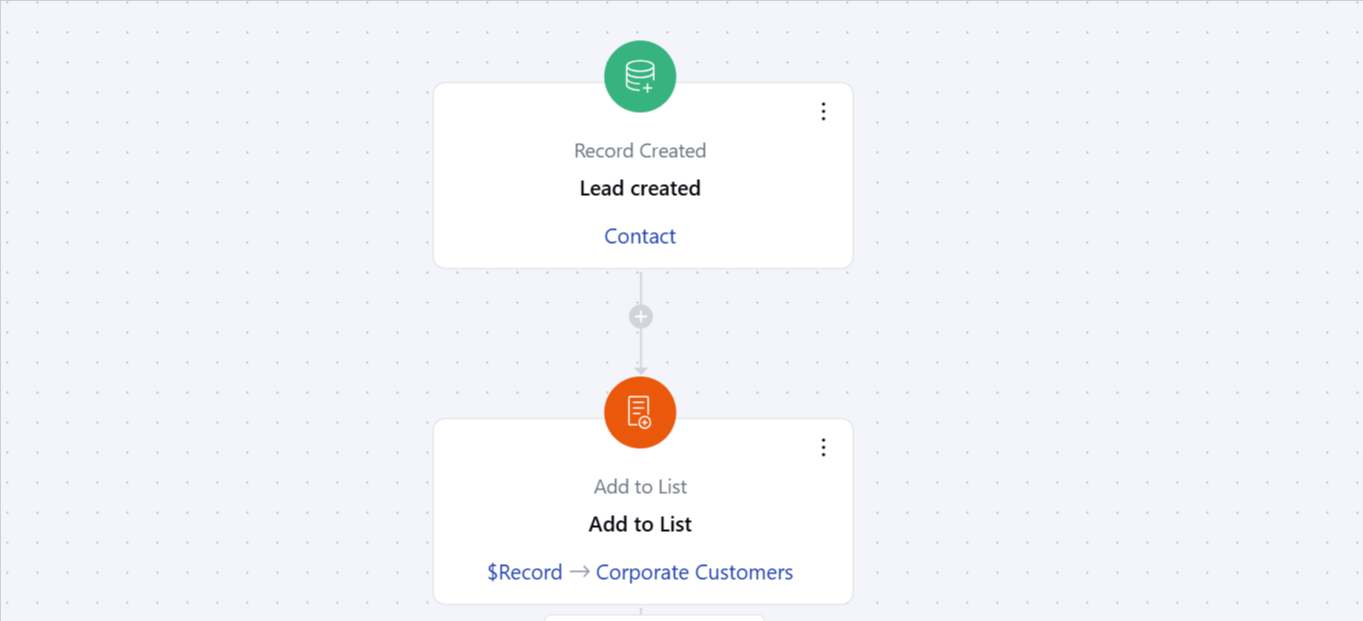
Topics covered:
How to Configure Add to List Action
When setting up a Smart Flow, select the Add to List action.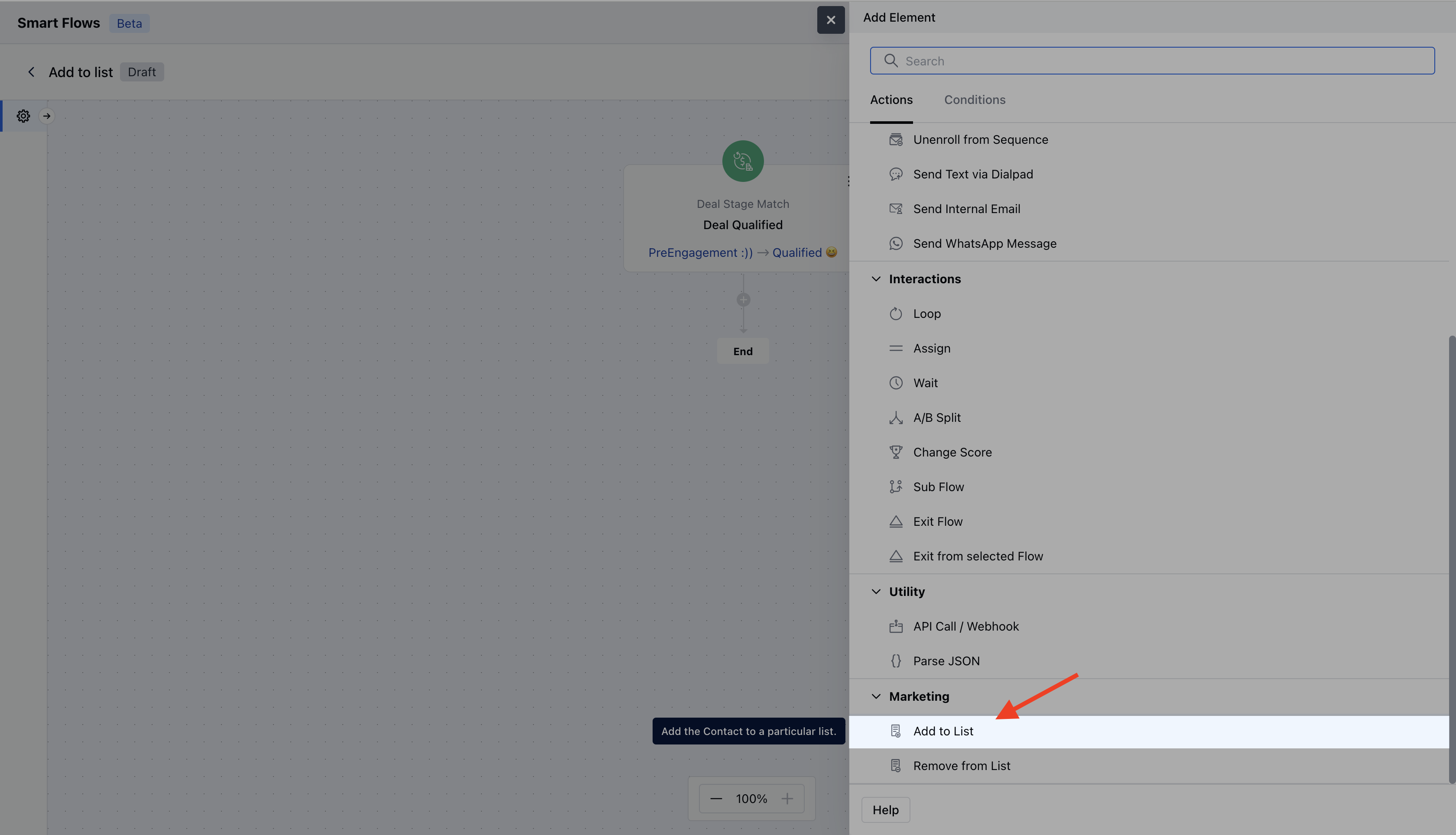
- Description: Give a brief explanation of the action’s function, describing what it will achieve.
- Select Record Variable: Determine which records will be added to the list. You have two options,Use the record that triggered the flow and Use a record provided here.
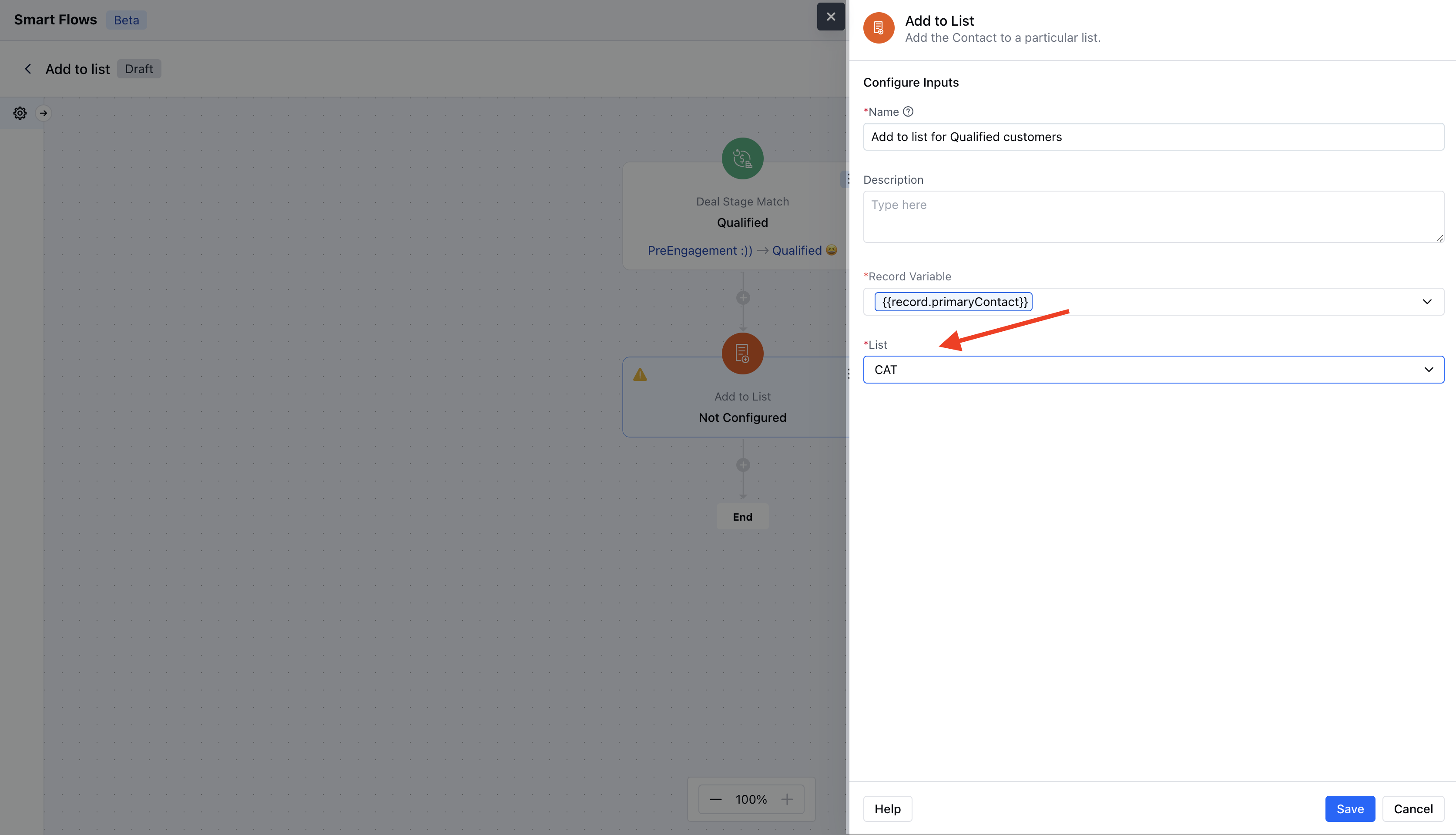
- List*: Choose a single list to which the contact(s) will be added
Practical example:
Imagine you have a marketing team that manages different subscription plans: Basic, Standard, and Premium. When a customer signs up through your website or a mobile app, the system automatically identifies the chosen plan and assigns the customer to the particular list.This approach allows your marketing team to tailor communications and promotional efforts specific to each subscription type, ensuring relevant messaging and enhancing customer engagement.