- Topics covered: -
- How to configure the Create Note action
- Practical Example
How to configure the Create Note action
While setting up a Smart Flow, select the Create Note action.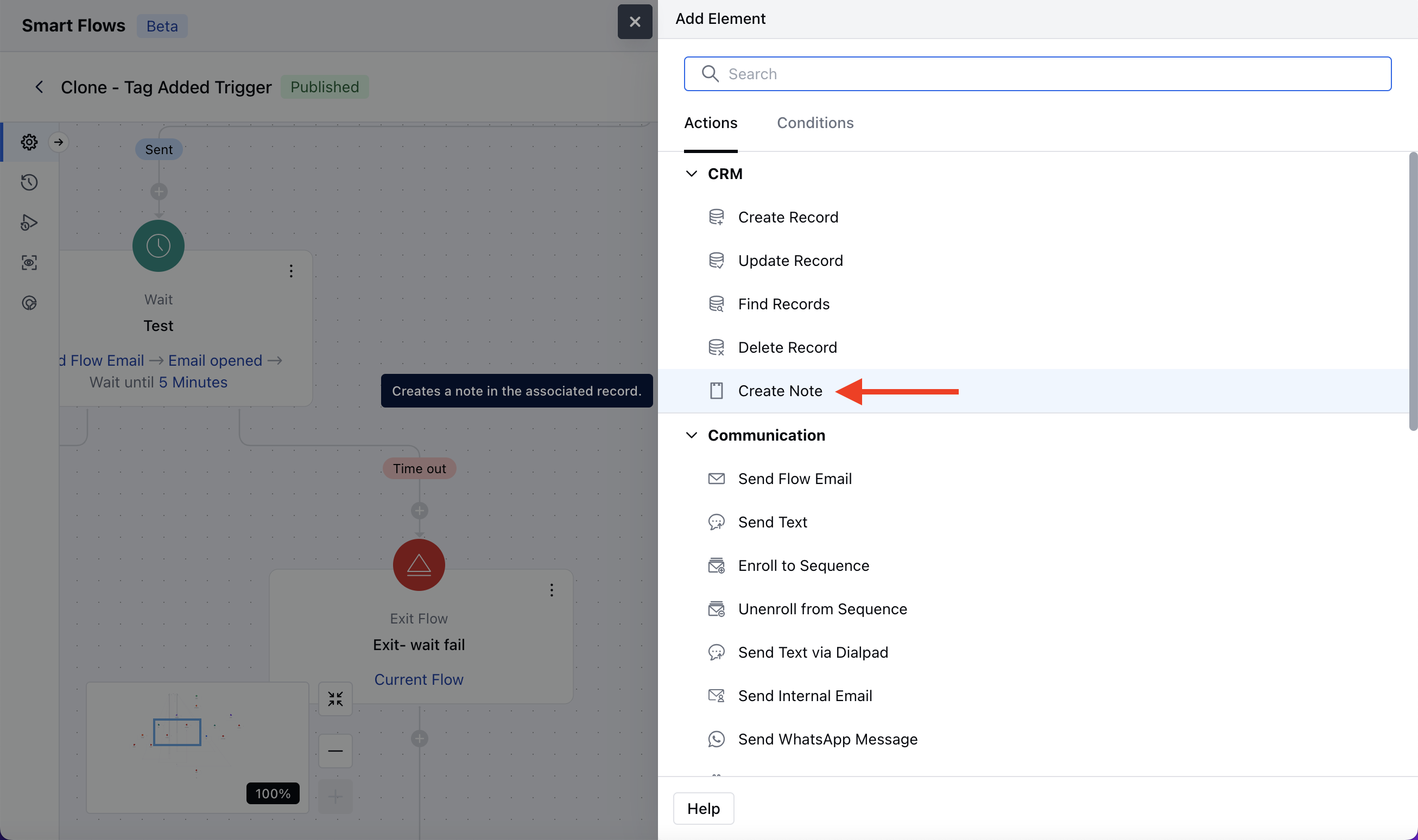
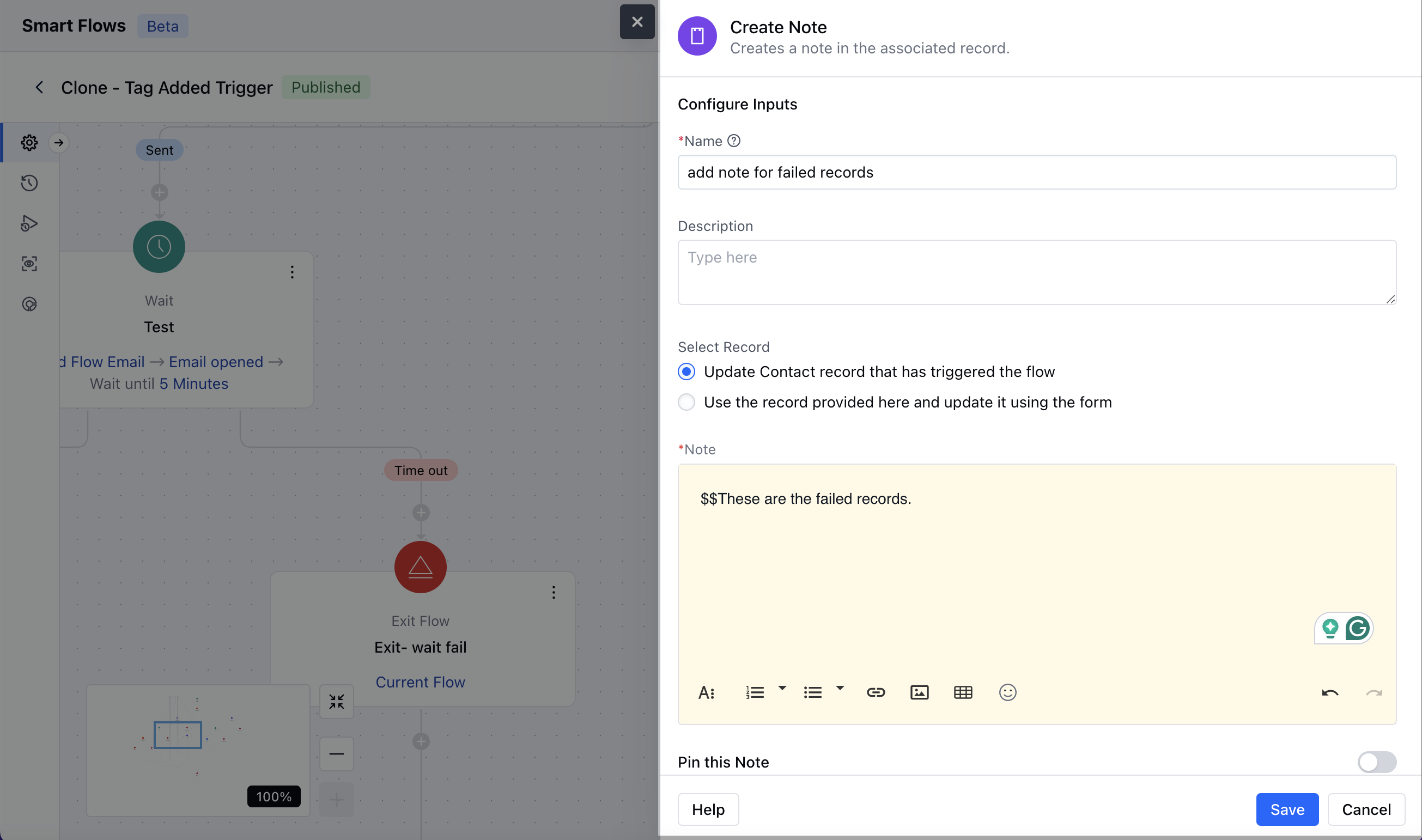
- Name: Assign a clear and descriptive name to the action to easily identify its purpose in the flow.
- Description: Add a description for better understanding.
- Select Record: Use the record that triggered the flow: This option will add a note to the record that has triggered the smart flow.Use the record provided here and update it using the form: Here you need to select the record variable for which you like to add a note.Note: Enter the message or content you want to add as a note. This field supports a **Rich Text Editor (RTE)**for formatting.Pin this Note: Enable this option if you want the note pinned. By default, it is disabled.Once the configuration is completed, hit Save.
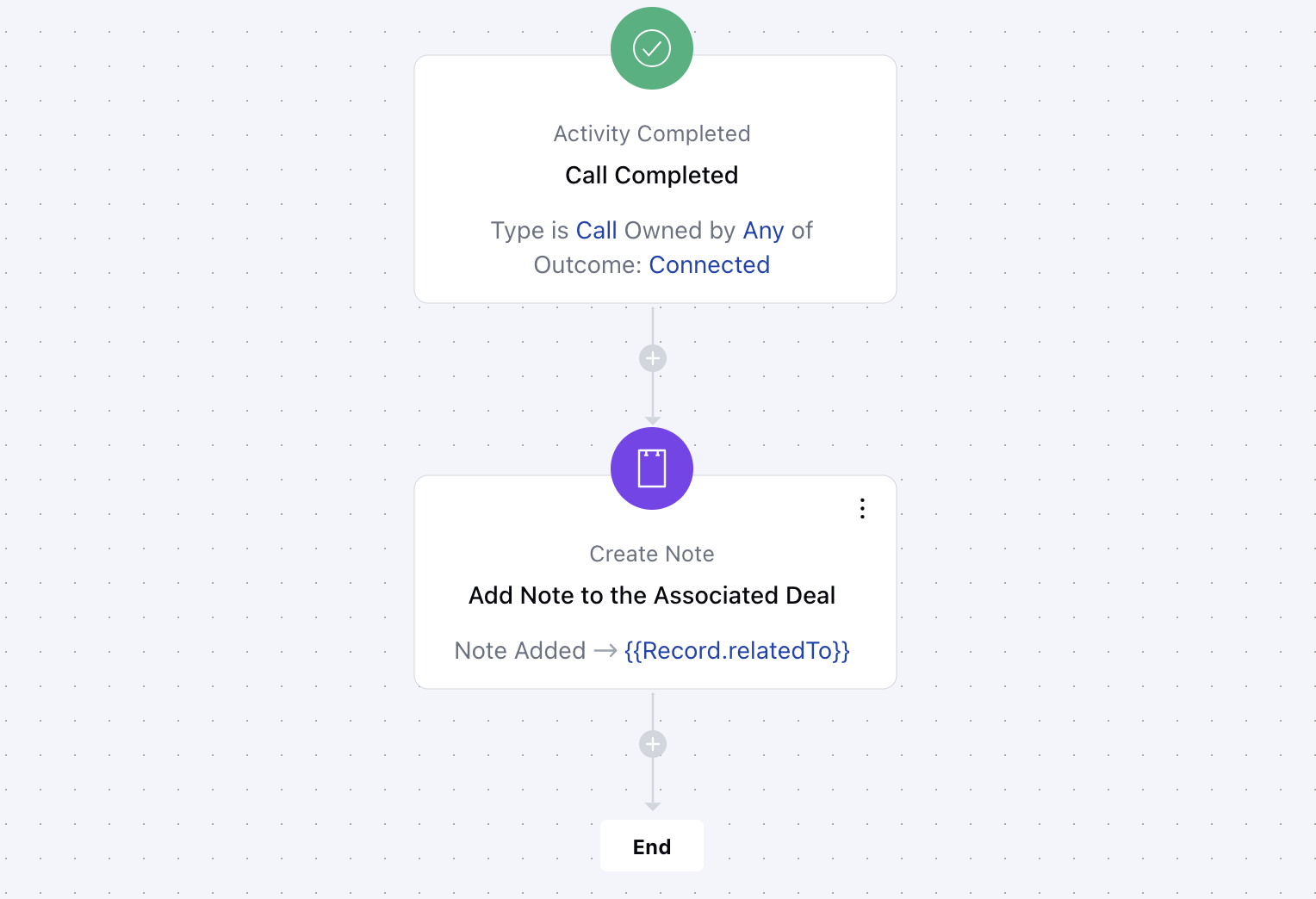
Practical Example:
A sales manager wants to ensure that follow-up notes are automatically added to a deal record after completing a sales call.