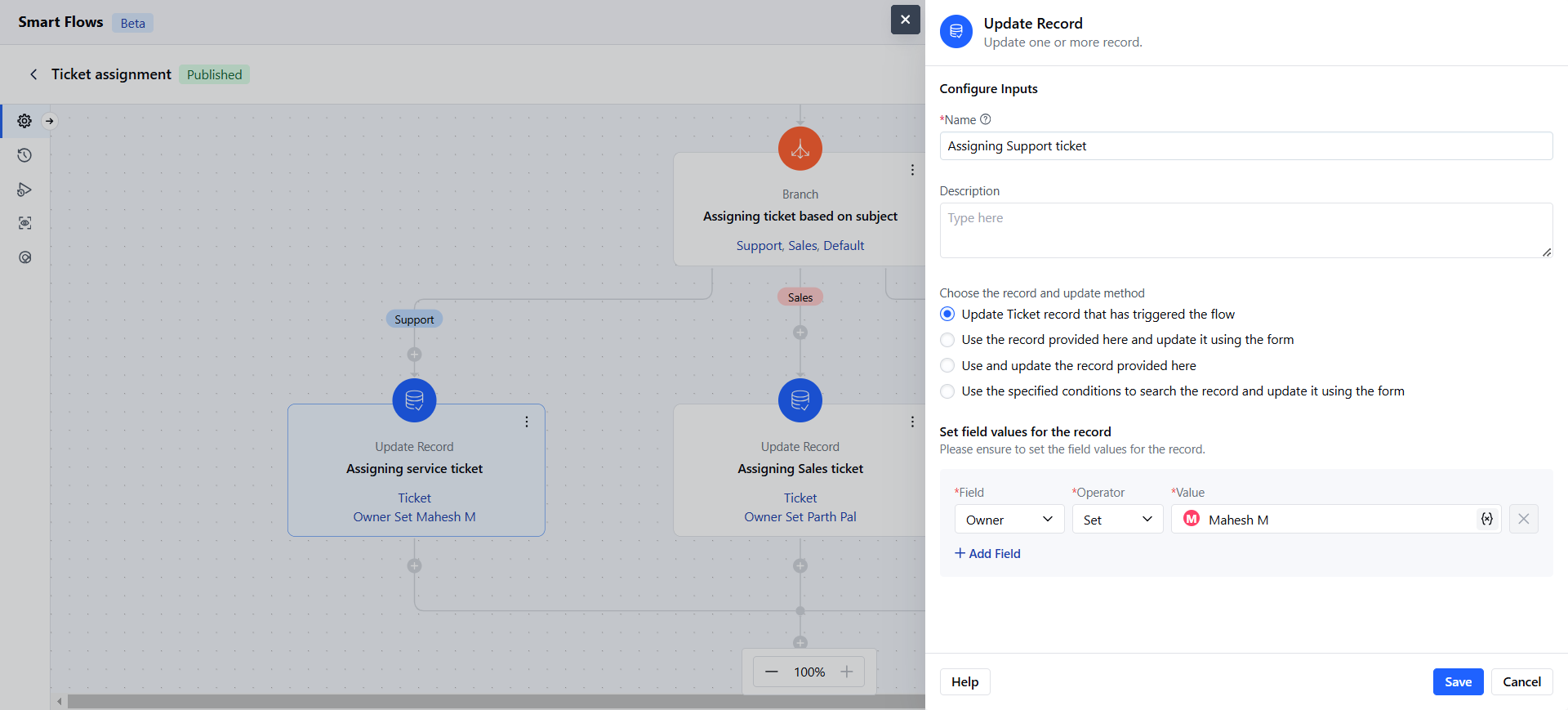
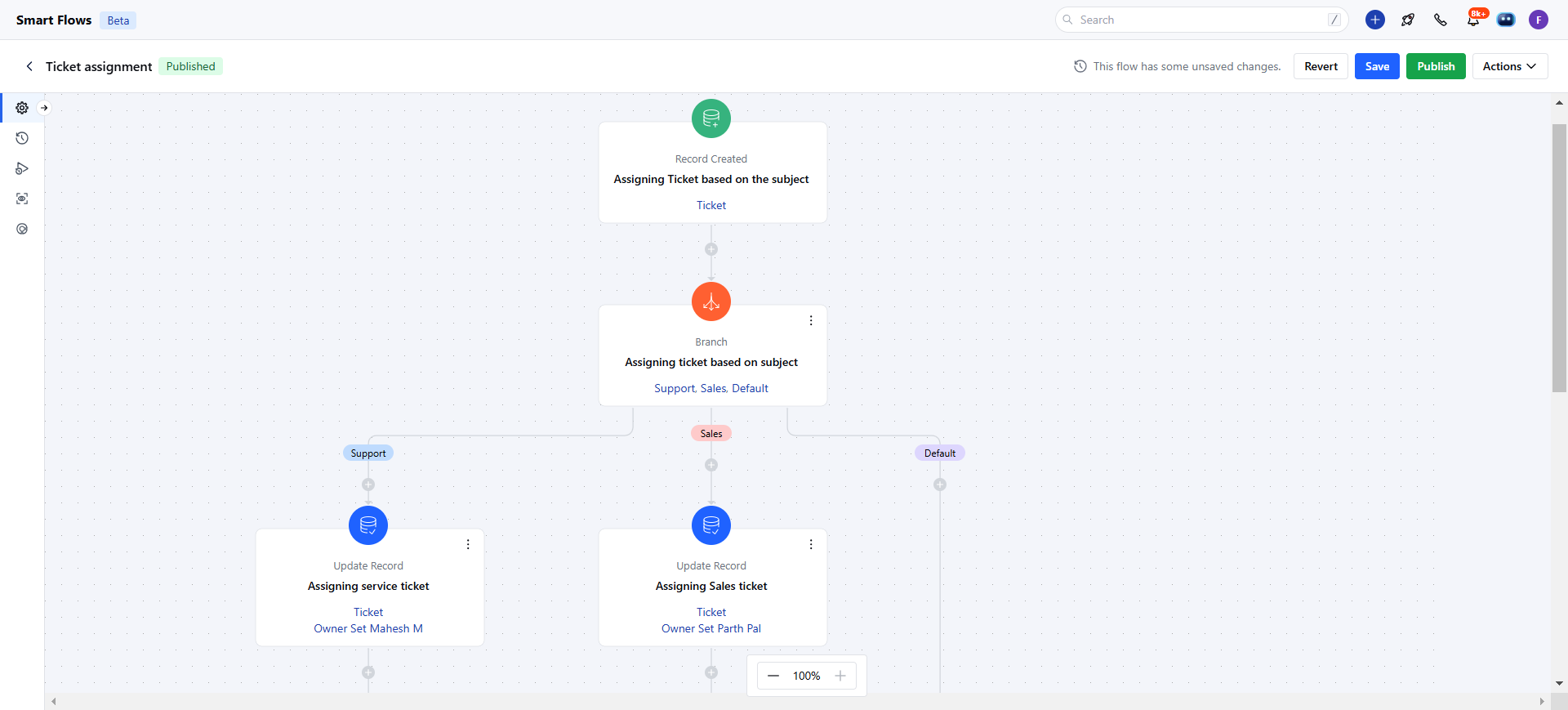
- Update Record Action in a Smart Flow allows you to modify existing records based on specific conditions.
Topics covered:
How to Configure Update Record ActionHow to Configure Update Record Action
While setting up a Smart Flow, select Update Record Action.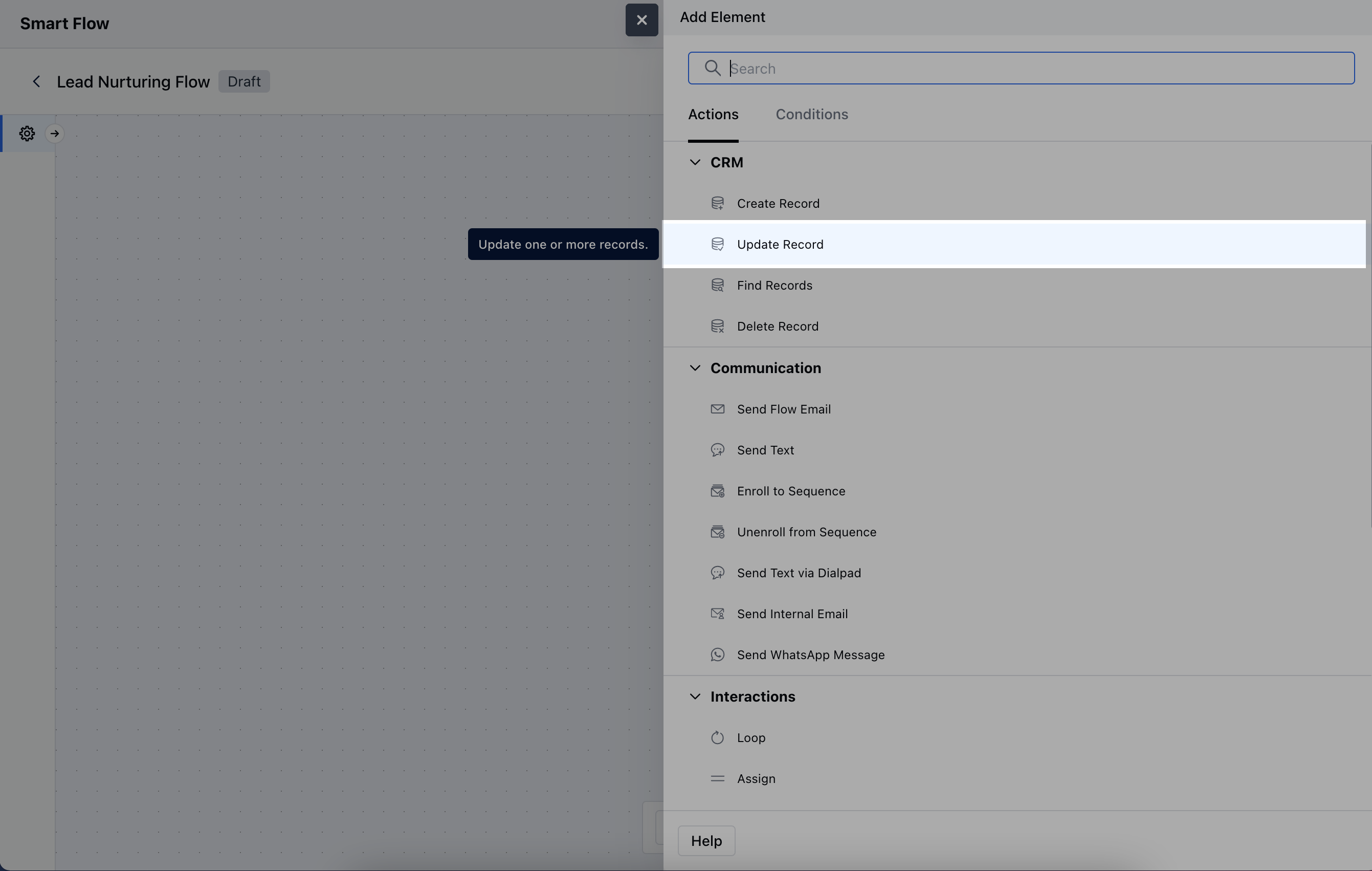
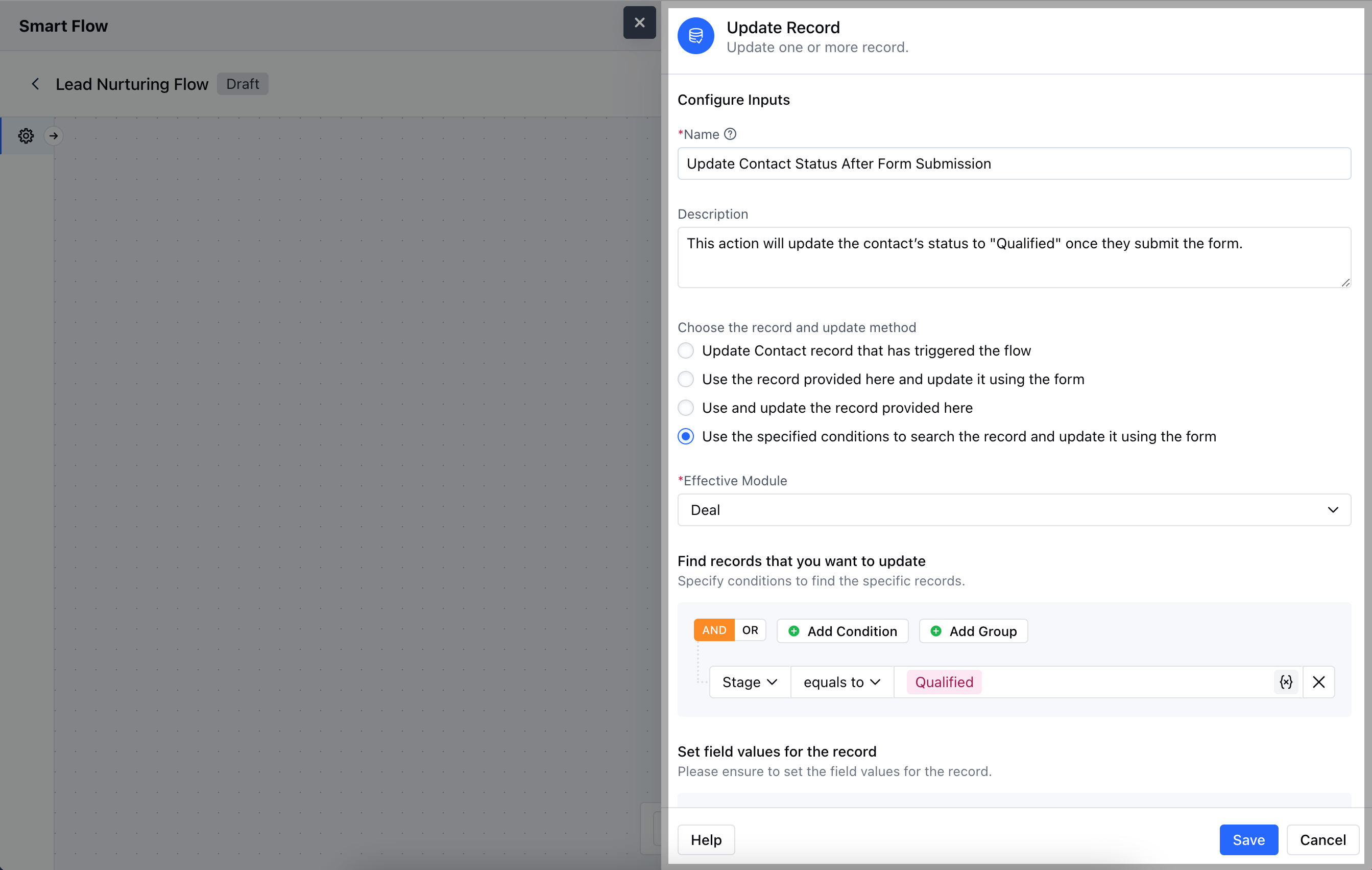
- Description: Offer a brief explanation of what this action will accomplish and why it’s needed in the flow.
- Choose the record and update method: Select the specific record to update and decide whether to update it using a form or predefined variables.
- Set field values for the record: Define which fields in the record should be updated and provide the new values.Once the configuration is completed, hit Save.
Practical Example
- The Update Record action can be used to assign tickets or tasks based on their content, such as a Sales ticket or Support ticket. It updates the ticket to the relevant team owner or team member accordingly.