Topics covered:
How to Configure the Loop Action
On the flow canvas, click the plus icon and select the Loop option from the Interactions section.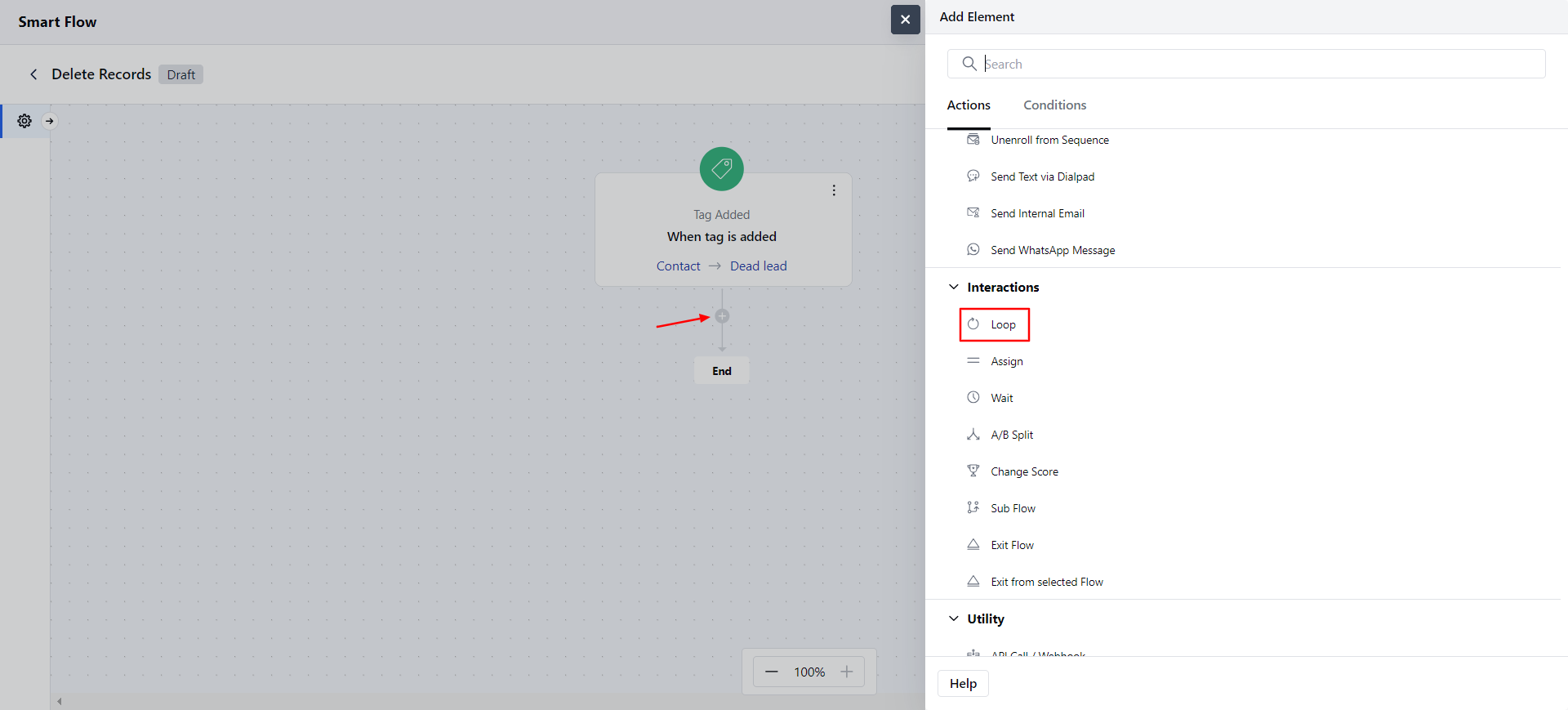
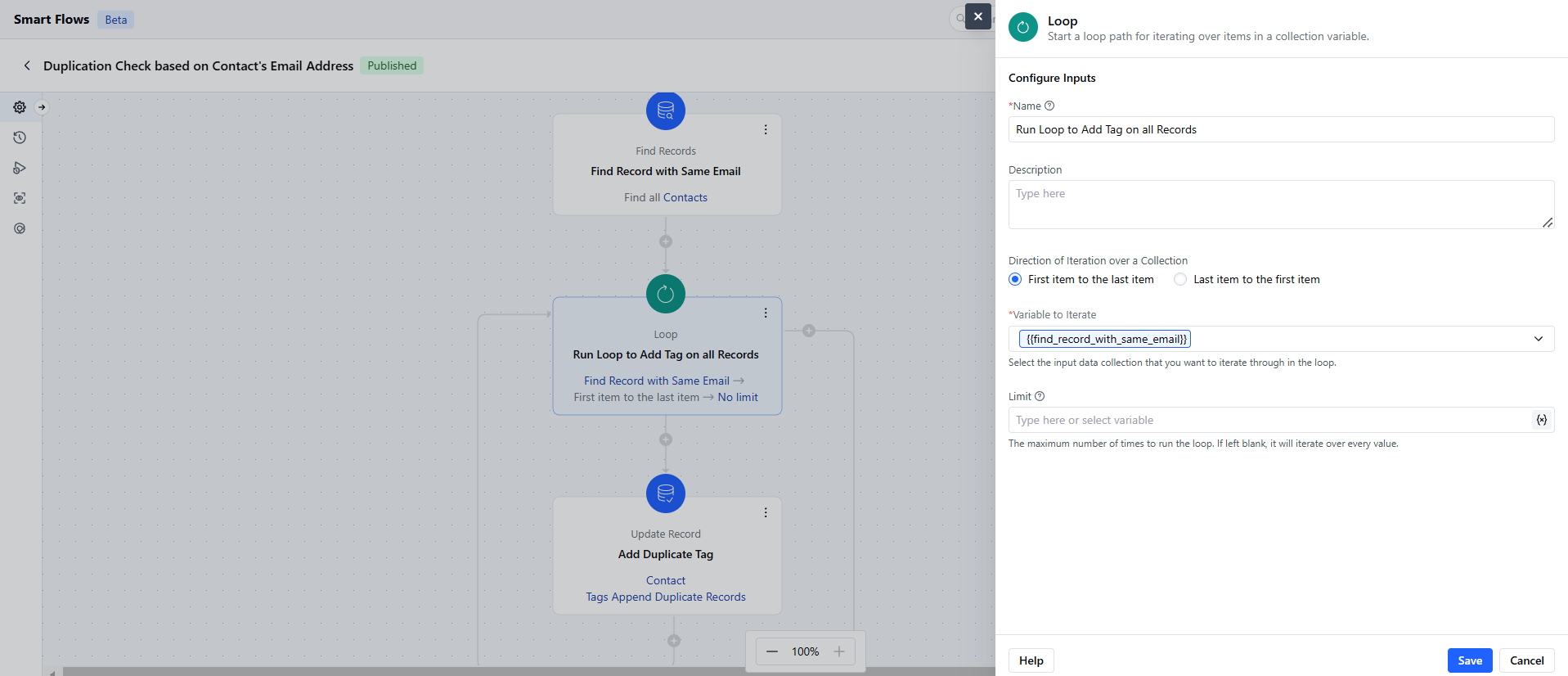
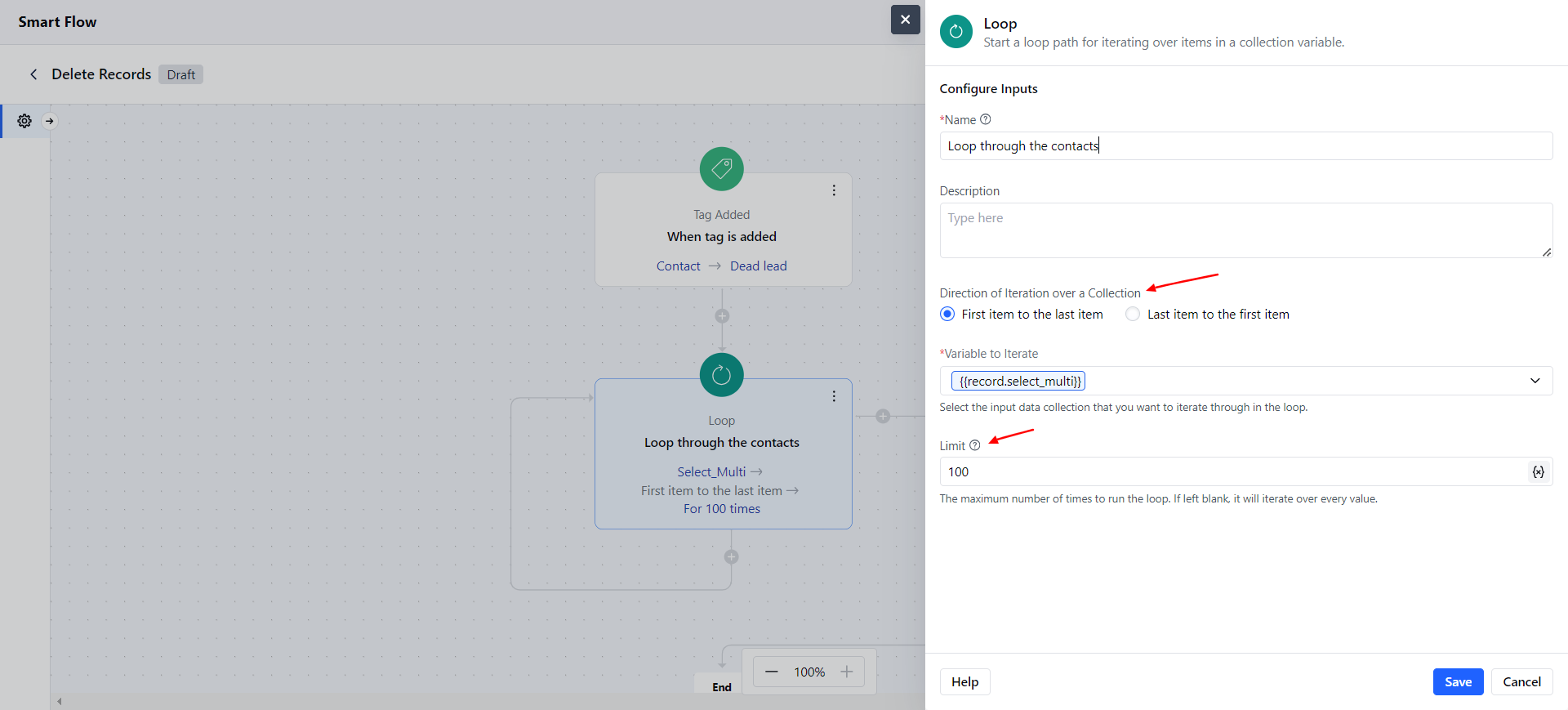
- Description: Add a short explanation of what the loop will do.
- Variable to Loop Through: Choose the list or group of items you want to go through.
- Loop Direction: Decide the order of the loop, either going from the first item to the last(this is the default option) or from the last item to the first.
- Limit: Set how many times the loop should run. If the value is zero or less, the repetition won’t run. Decimal numbers will be rounded down (for example, 3.4 becomes 3). By default, the loop runs through all items, but you can limit it. For example, setting the limit to 2 will only loop through the first two items.
Practical Example
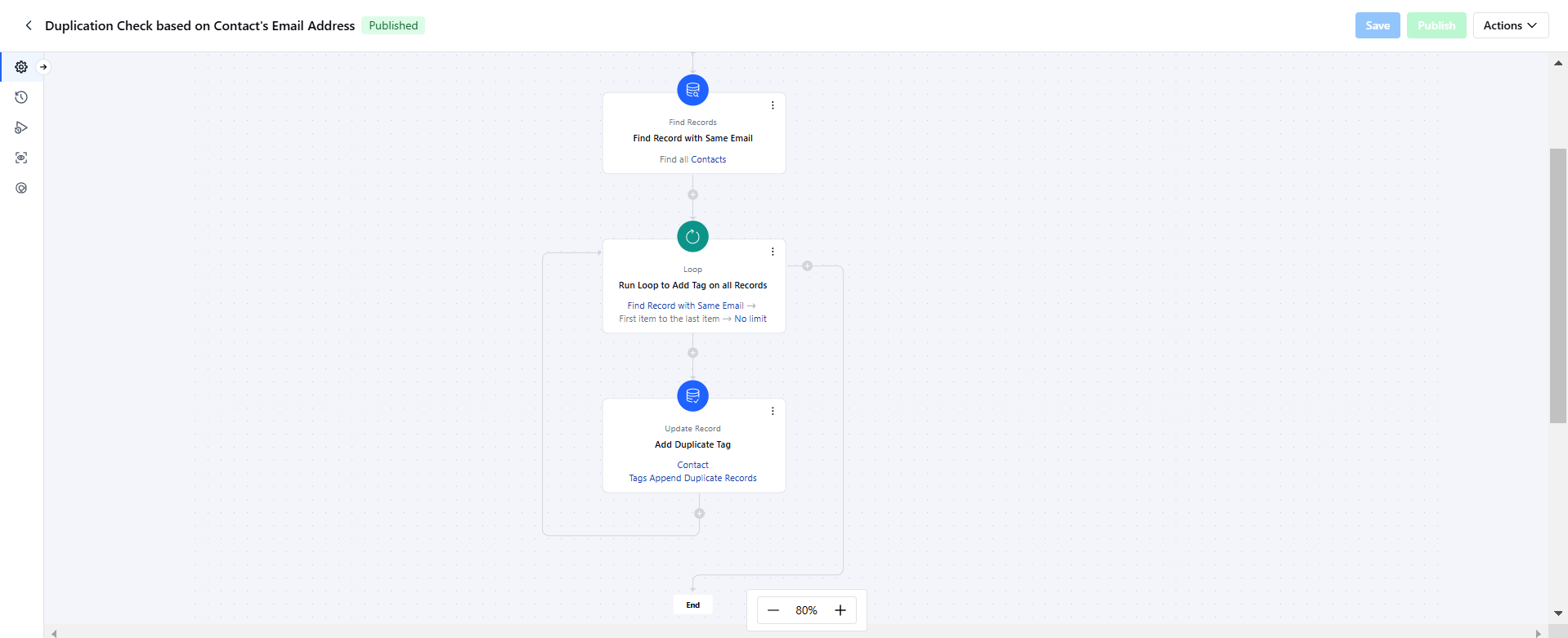
Add Tags to duplicate records in the system for sanitation of the data. Once the Tag is added, you can go through the list and merge the records.