

- Topics covered:
- How to Configure Activity Completed Trigger
- Practical Example
How to Configure Activity Completed Trigger
While creating the Trigger Based Flows select Activity Completed Trigger.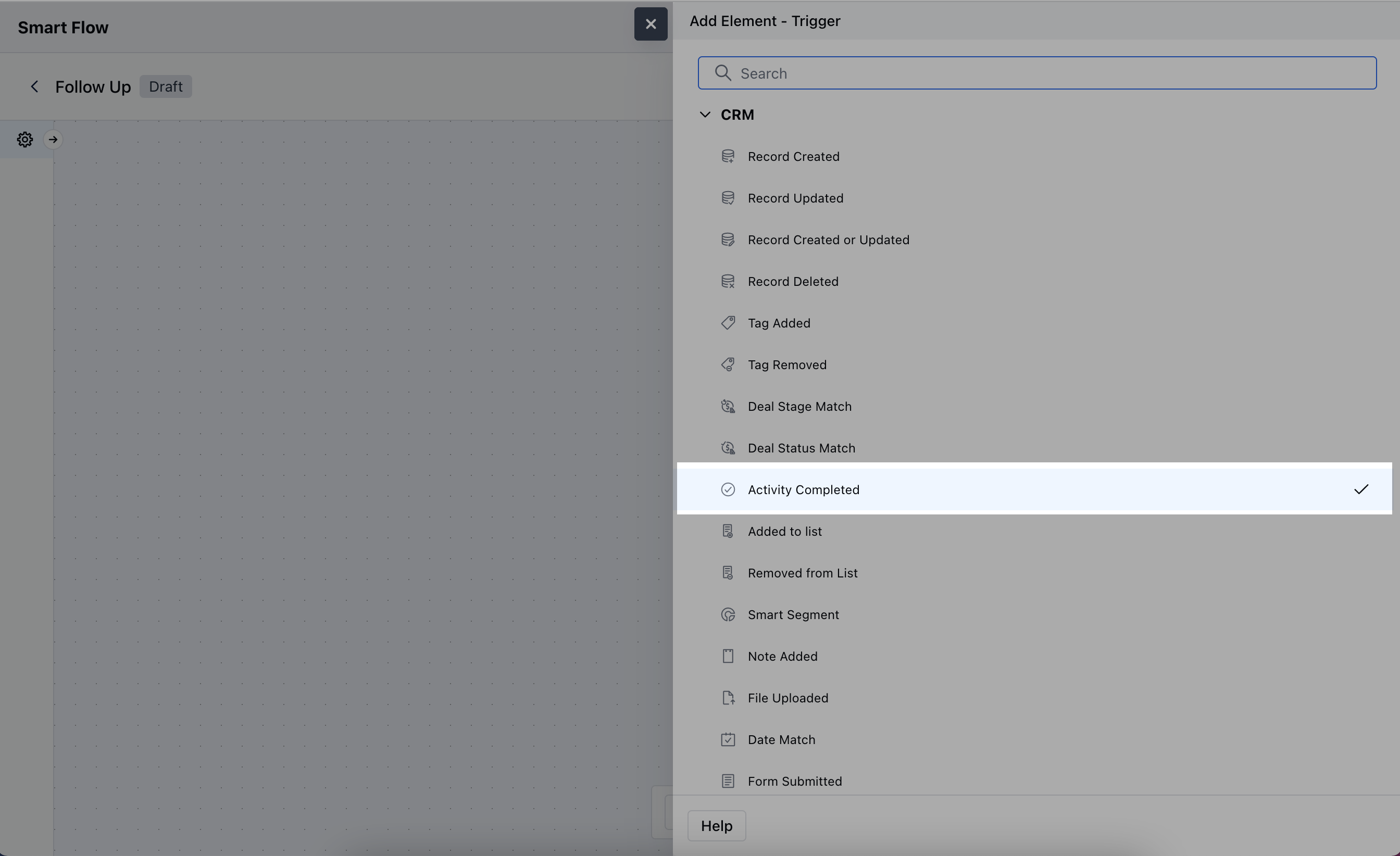
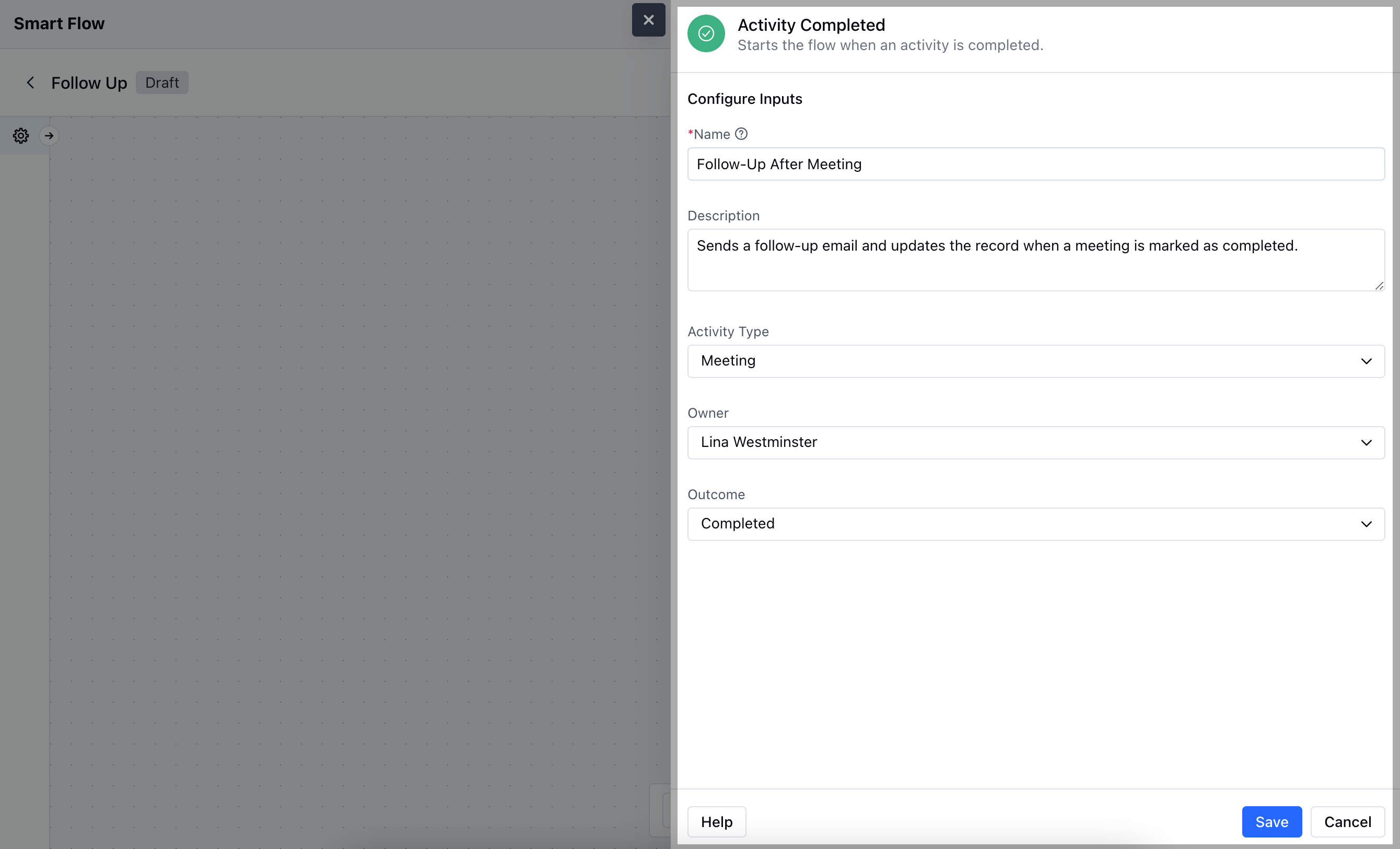
- Name: Provide a clear and descriptive name for the trigger to easily identify its purpose.
- Description: Enter a brief explanation of what the trigger does and its role in the flow.
- Type: Specify the type of activity (e.g., meeting, call, task) that will activate the trigger upon completion.
- Owner: Select the owner of the activity or the person responsible for the follow-up actions.
- Outcome: Define the desired outcome or result that will trigger the flow. Once done, hit on Save.
Practical Example
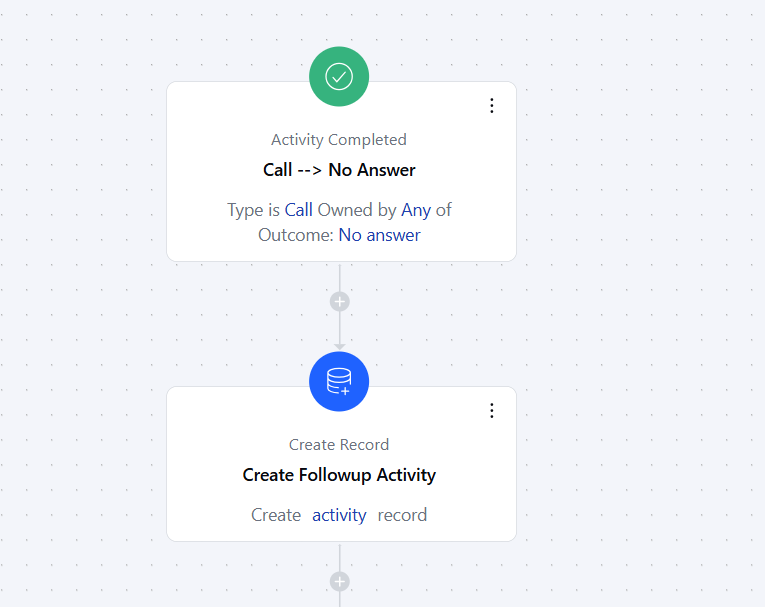
Setup next followup Whenever a salesperson tries to followup a customer and hits voicemail or busy status, then completing that activity will auto-create a new followup activity for the next day so that a lead doesn’t fall through the crack.
Auto update/move deal stage Suppose you have got a new deal and you need to verify the lead’s submitted data and their requirement. As soon as you complete the first follow-up activity with the status connected, the deal’s stage is auto-updated from New to Qualified.
