

Topics covered:
How to Configure Email Unsubscribed Trigger
While creating the Trigger Based Flows select Email Unsubscribed trigger.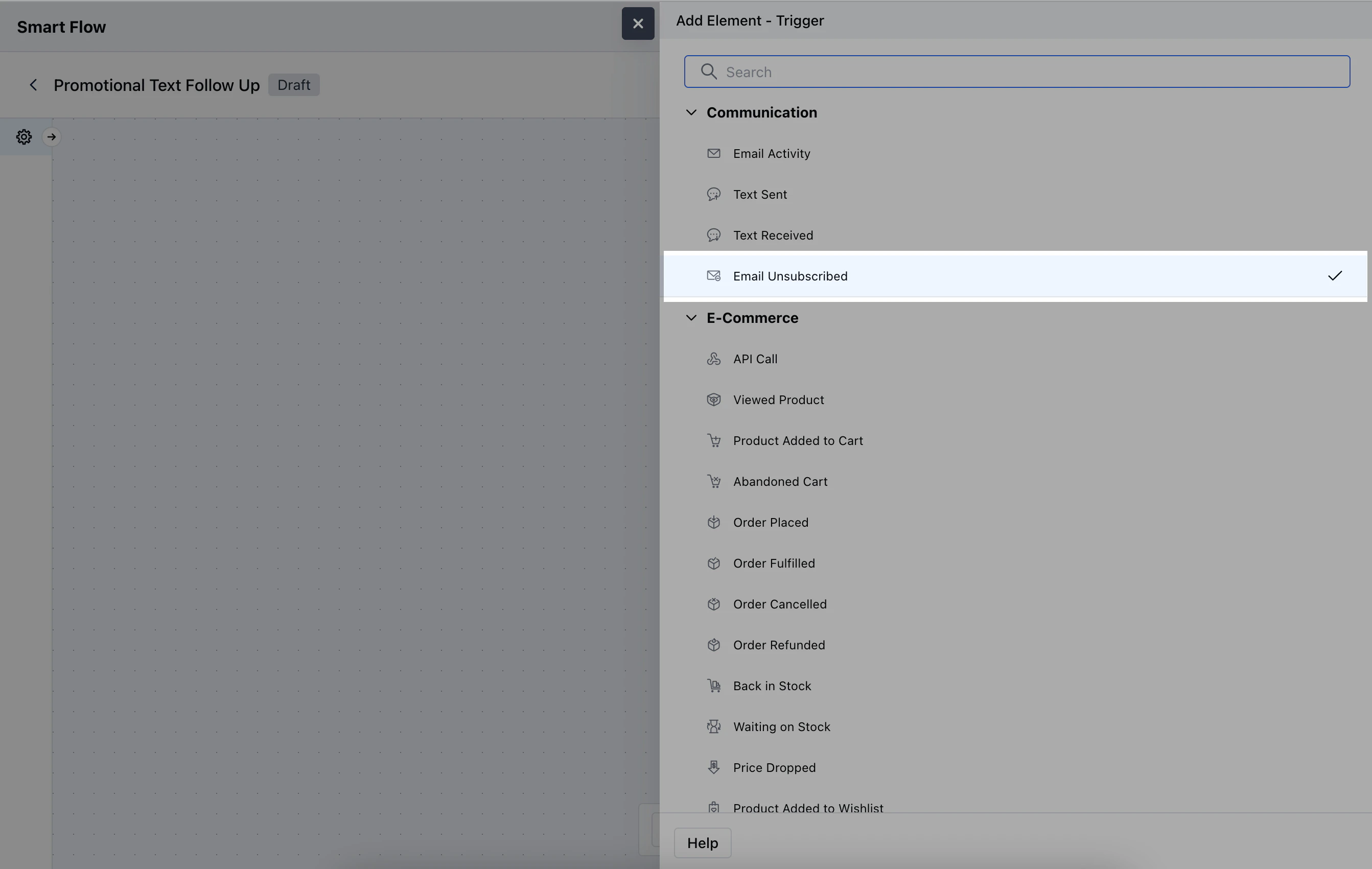
- Name: Provide a descriptive name for the trigger.
- Description: Give the brief description of what the trigger does.
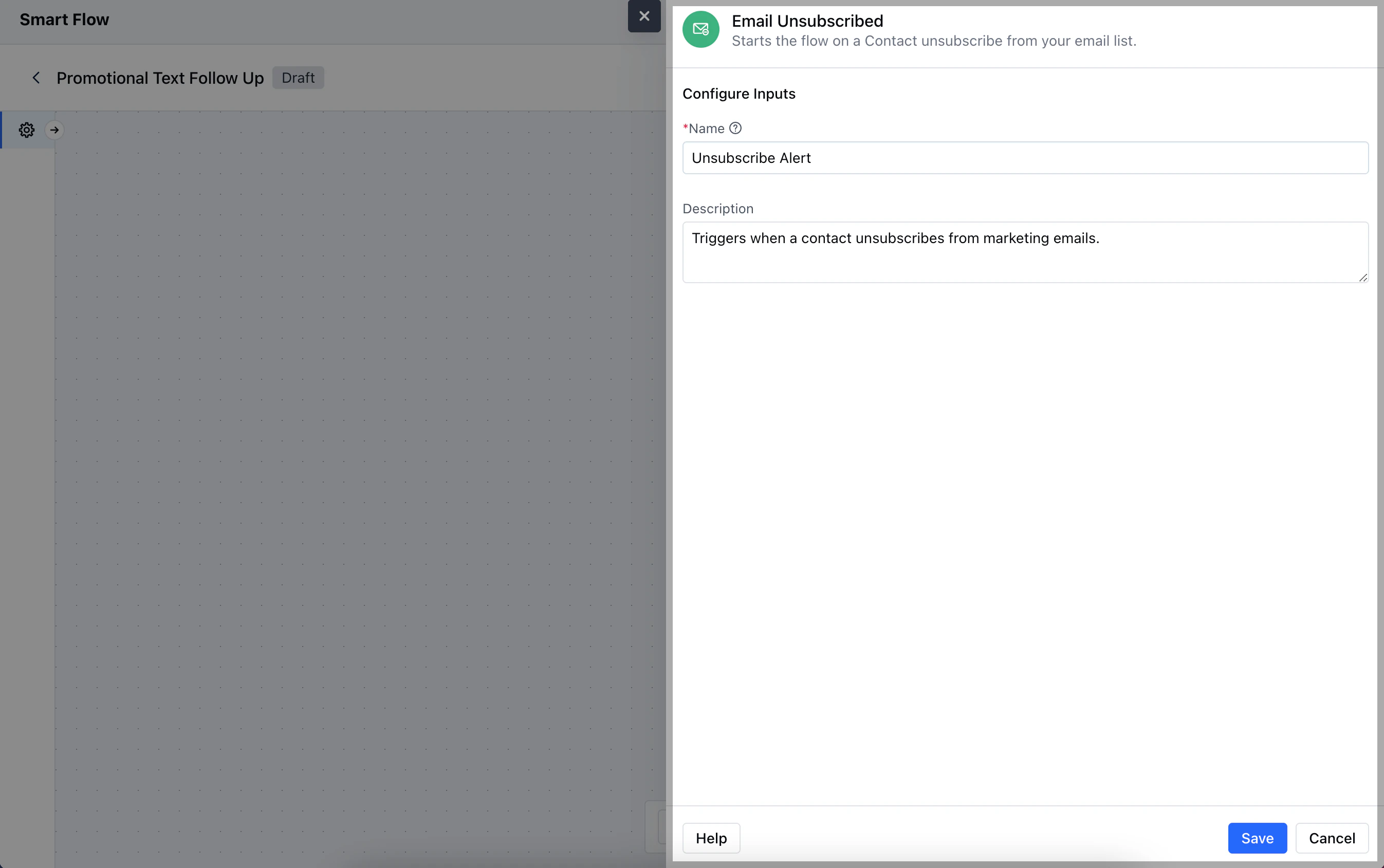
Practical Example
Let’s create a smart flow that triggers when an email unsubscribe occurs, automatically adding a task for customer support to review the account. This allows the team to address any potential concerns the customer may have.