

- Topics covered: -
- How to Configure Product Added to Cart Trigger
- Practical Example
How to Configure Product Added to Cart Trigger
While creating the Trigger Based Flows select Product Added to Cart trigger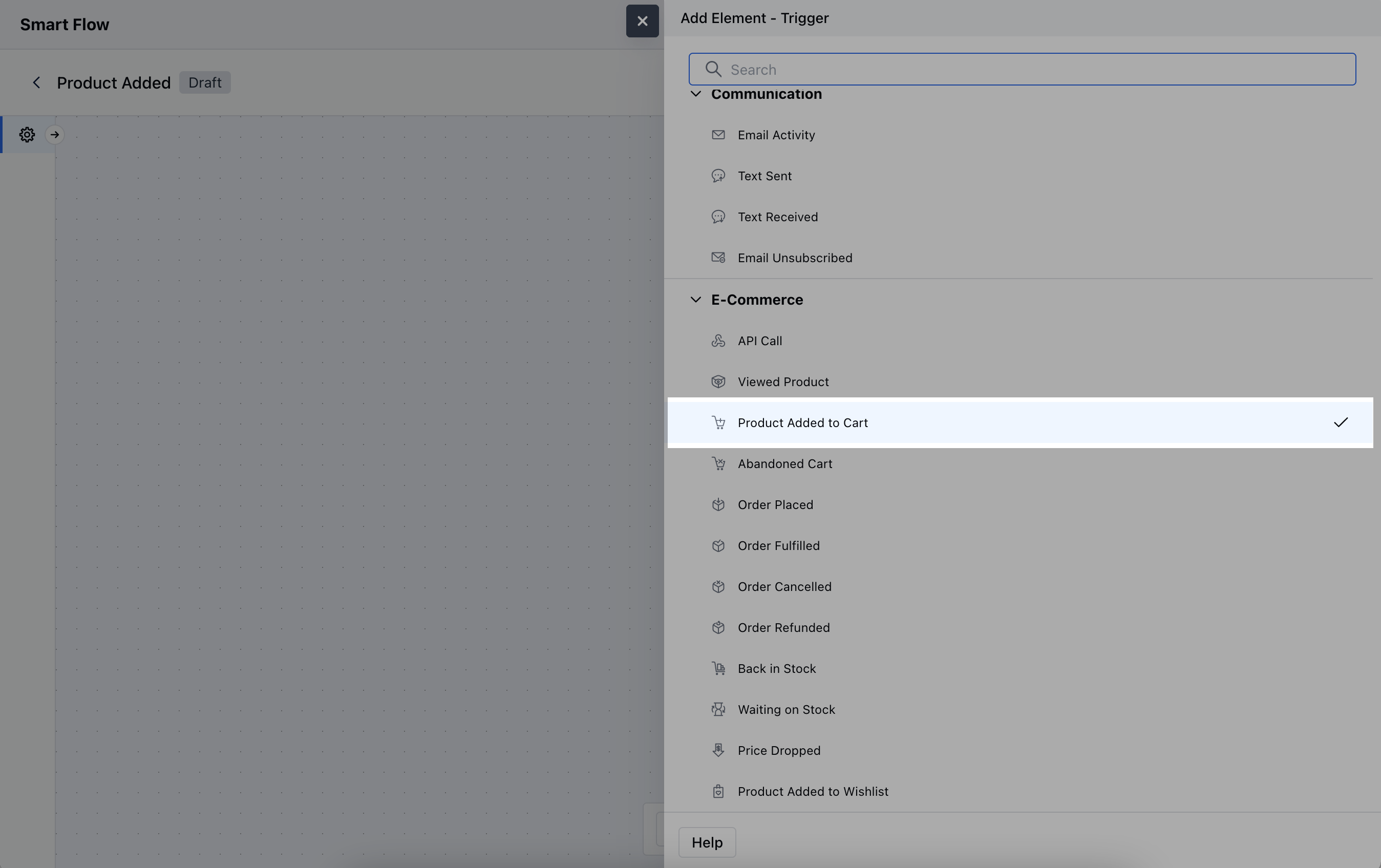
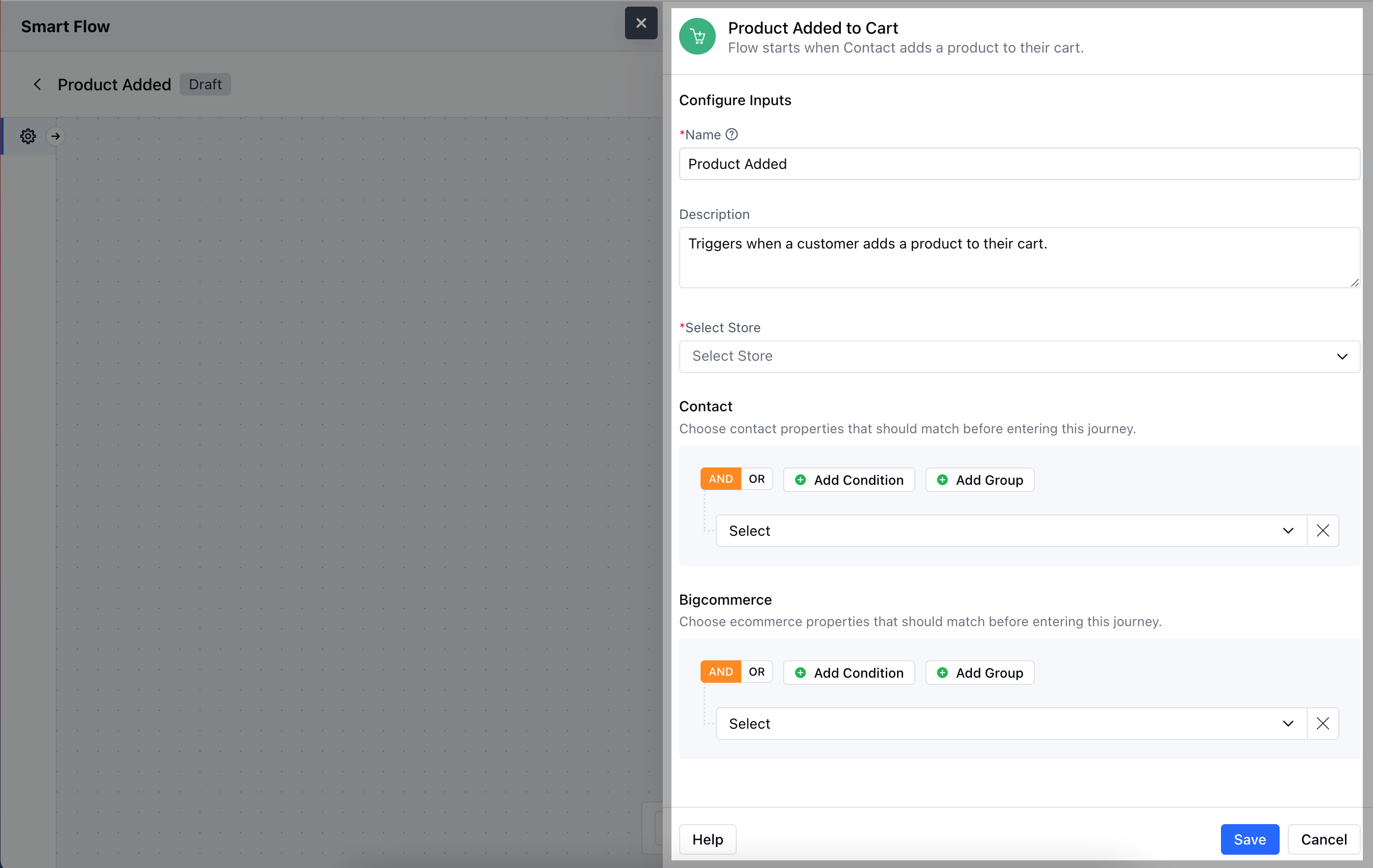
- Description: Briefly explain the purpose of the trigger.
- Select Store: Choose the BigCommerce store where the cart activity occurs.
- Contact: Specify conditions related to customer details.
- BigCommerce: Set conditions based on product-related properties that must be met before the trigger is activated.Hit the Save button to save the configuration and start making the flow.
Practical Example
Let’s create a Smart Flow about when your contact whose Type = Customer adds a product to their cart, and the cart value reaches a certain amount, we will send out an email to a customer after a couple of hours saying the cart looks good and it’s time to make a purchase. If the cart value remains the same for a selected period of time we can send out a reminder email and so on.