- The Deal Stage Match trigger activates the flow when a deal reaches a specific stage, allowing automated actions to occur based on that stage.
Topics covered:
How to Configure Deal Stage Match Trigger
While creating the Trigger Based Flows select Deal Stage Match trigger.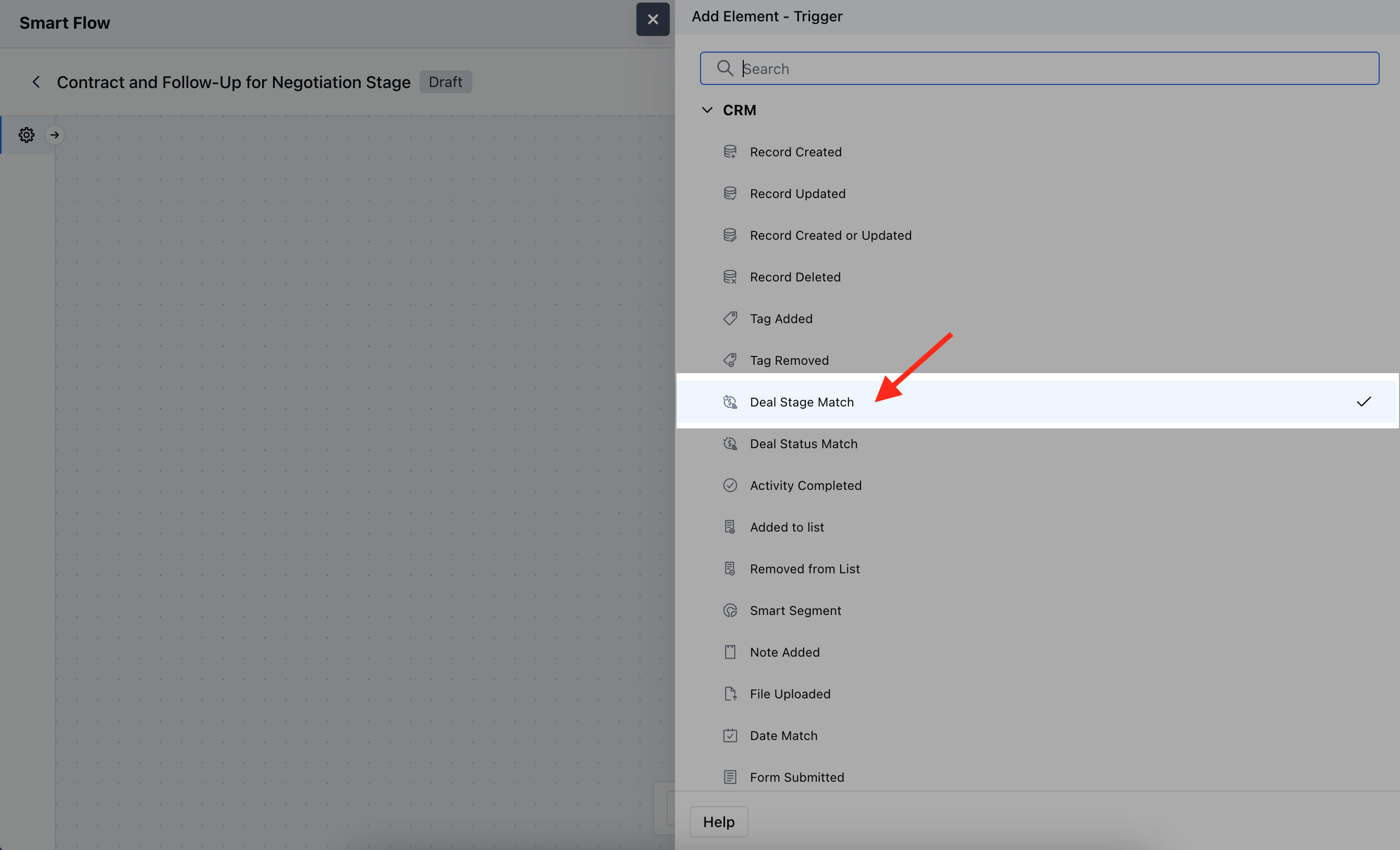
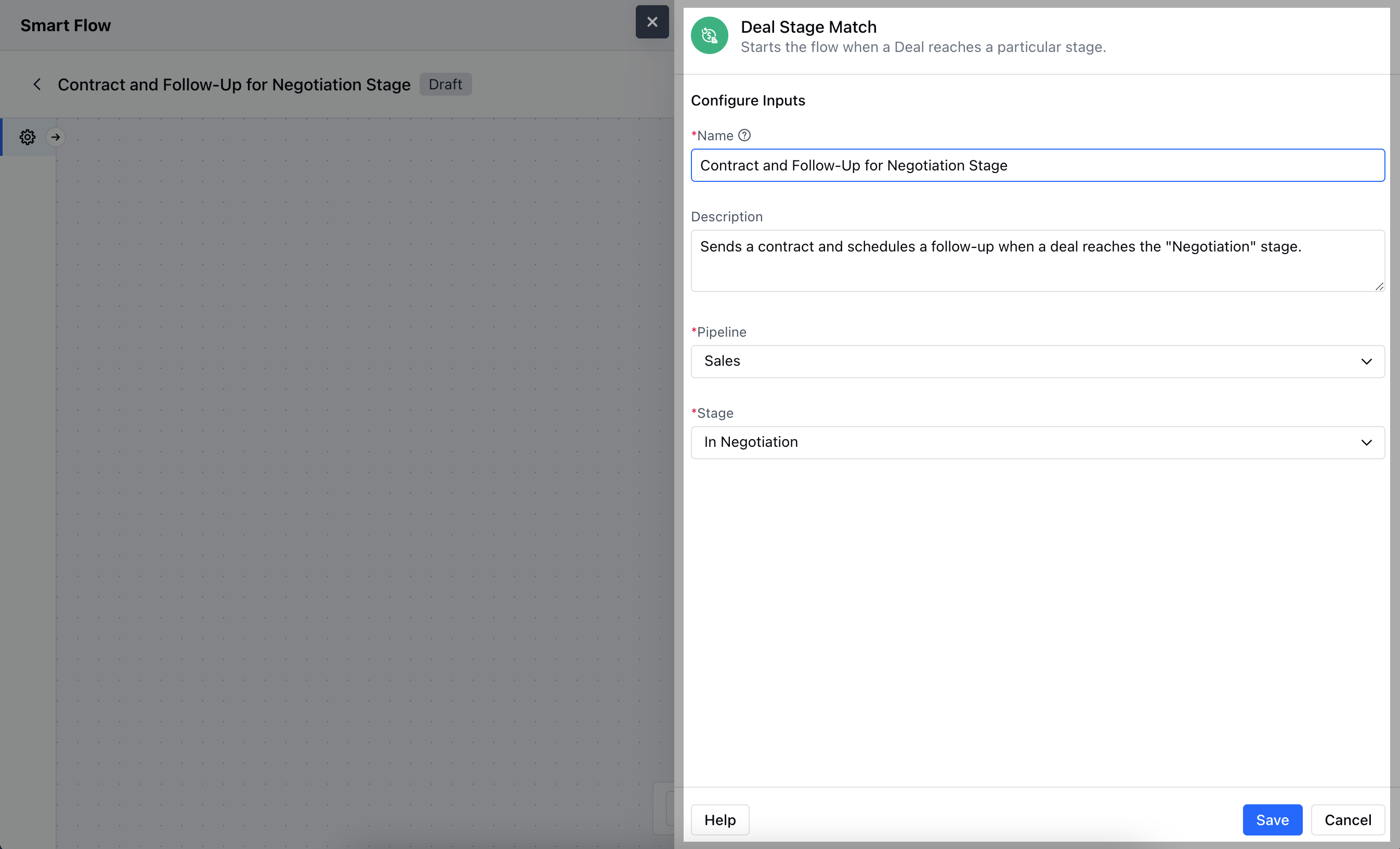
- Name: Enter a clear and descriptive name for the trigger to easily identify its purpose within the flow.
- Description: Provide a brief explanation of what the trigger does and its role in the flow, helping to clarify its function.
- Pipeline: Choose the specific pipeline where the trigger should apply, defining the context within which the deal stage change will be monitored.
- Stage: Select the particular deal stage that, when matched, will activate the flow.Once added, hit on Save.
Practical Example
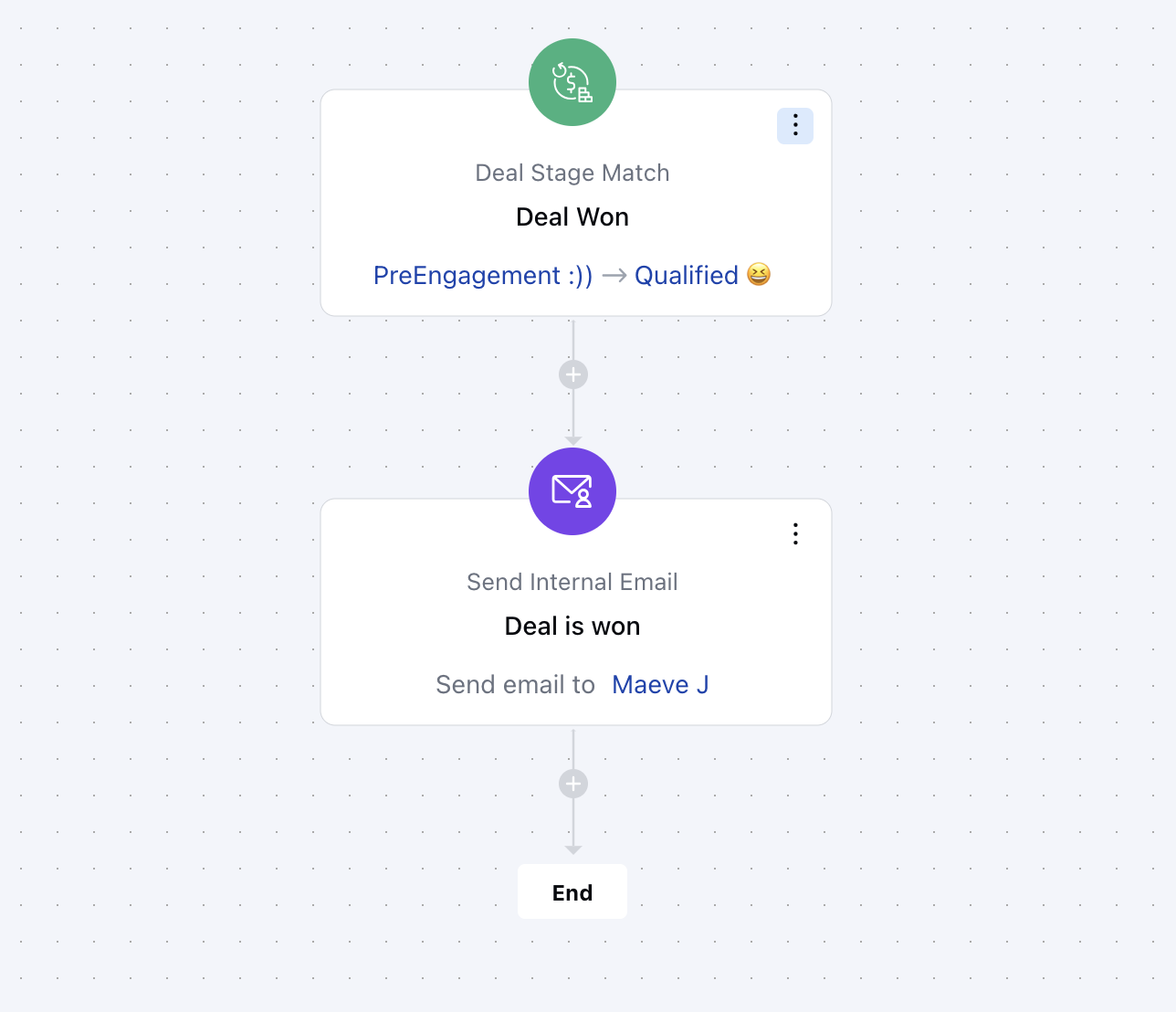
When a deal is marked as “Won”, an automatic text goes out to the sales team to celebrate the achievement and remind them to follow up with the customer. This fosters a positive relationship and encourages future sales opportunities.