- Topics covered:
- How to Configure Record Updated Trigger
- Practical Example
How to Configure Record Updated Trigger
While creating the Trigger Based Flows, select the Record Updated trigger.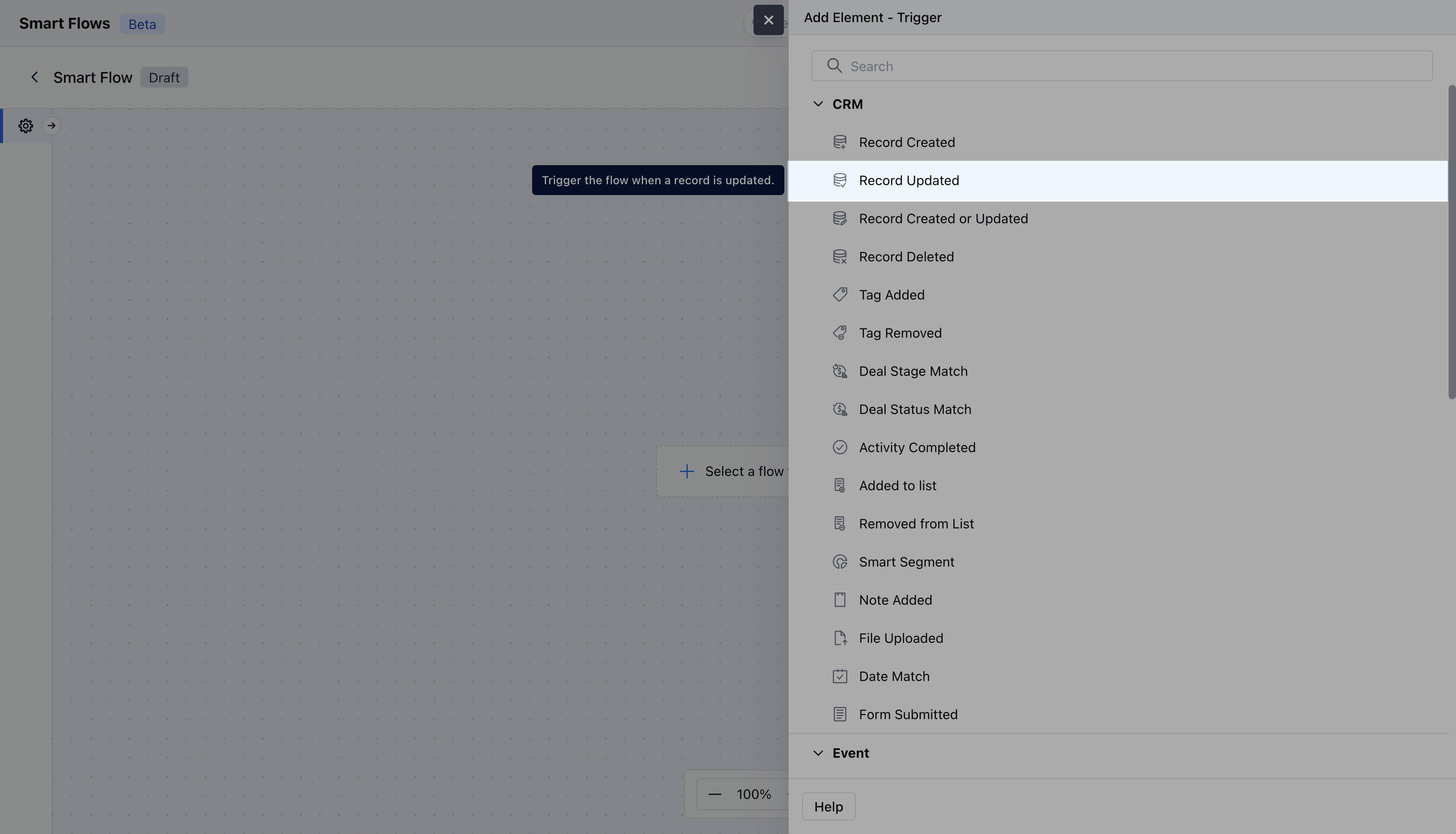
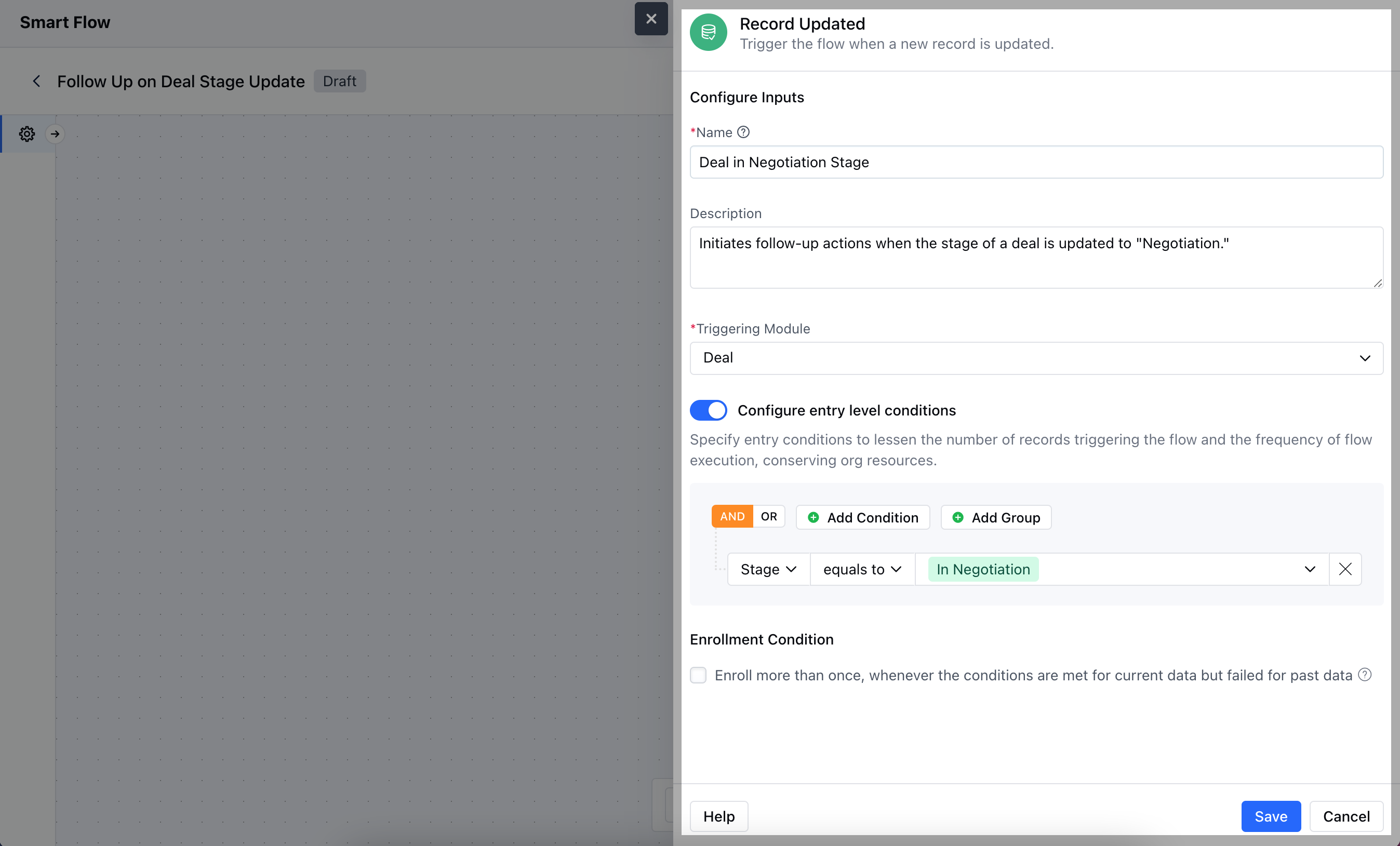
- Name: Provide a clear and descriptive name for the trigger to easily identify its purpose and function within your flow.
- Description: Enter a brief explanation of what the trigger does and its role in the flow.
- Module: Select the specific module where the trigger should be applied.
- Configure Entry-Level Conditions: Define the conditions that must be met for the trigger to activate. These conditions specify when and how the trigger should respond to record updating, ensuring it only acts when the specified criteria are satisfied.
Practical Example
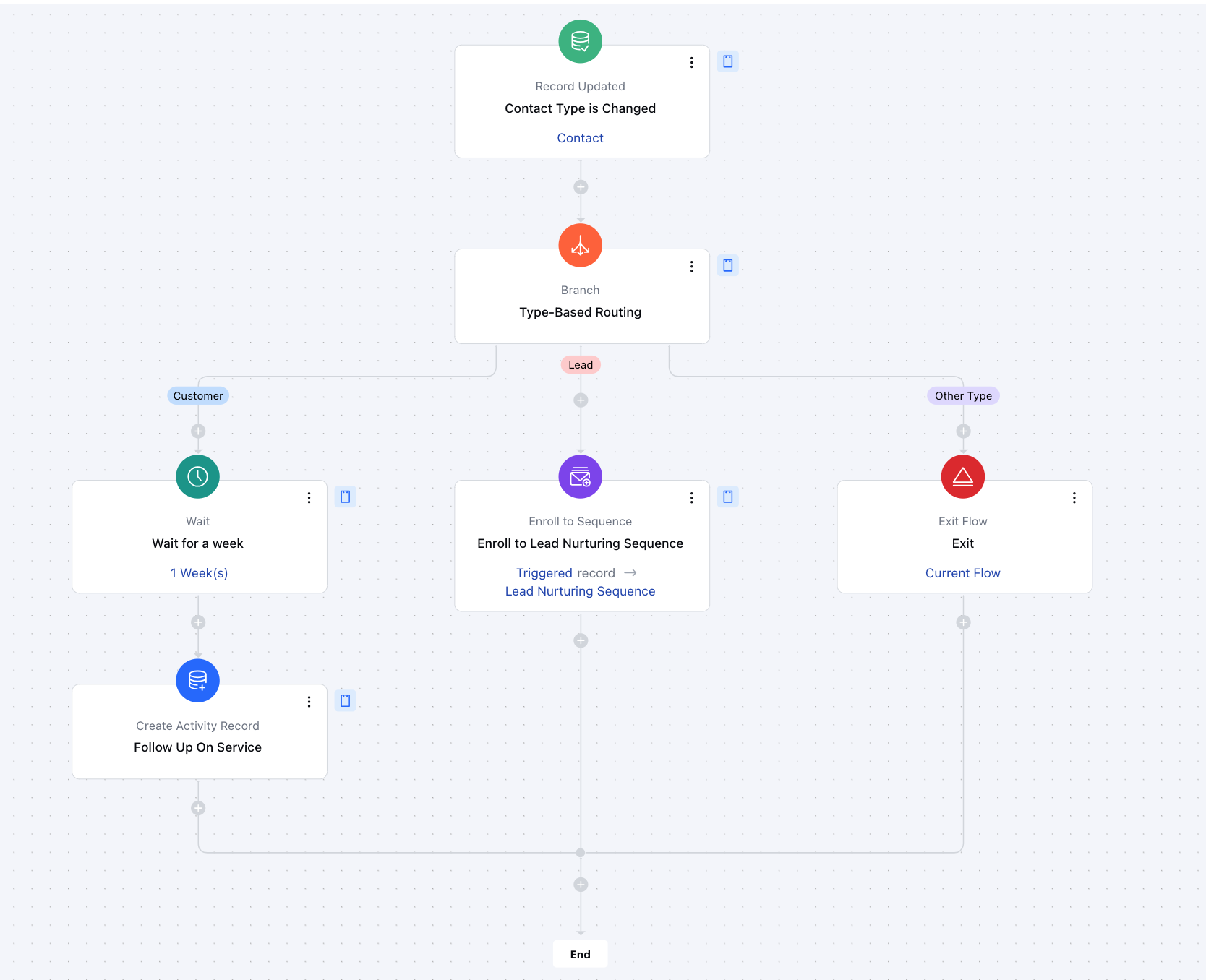
Here, we have created a smart flow that triggers only when a contact’s type is changed. Once triggered, the flow uses Branch to direct the record down a dedicated path, executing specific actions based on the updated contact type.