Topics covered:
How to Configure Page Visited Trigger
While creating the Trigger Based Flows select the Page Visited trigger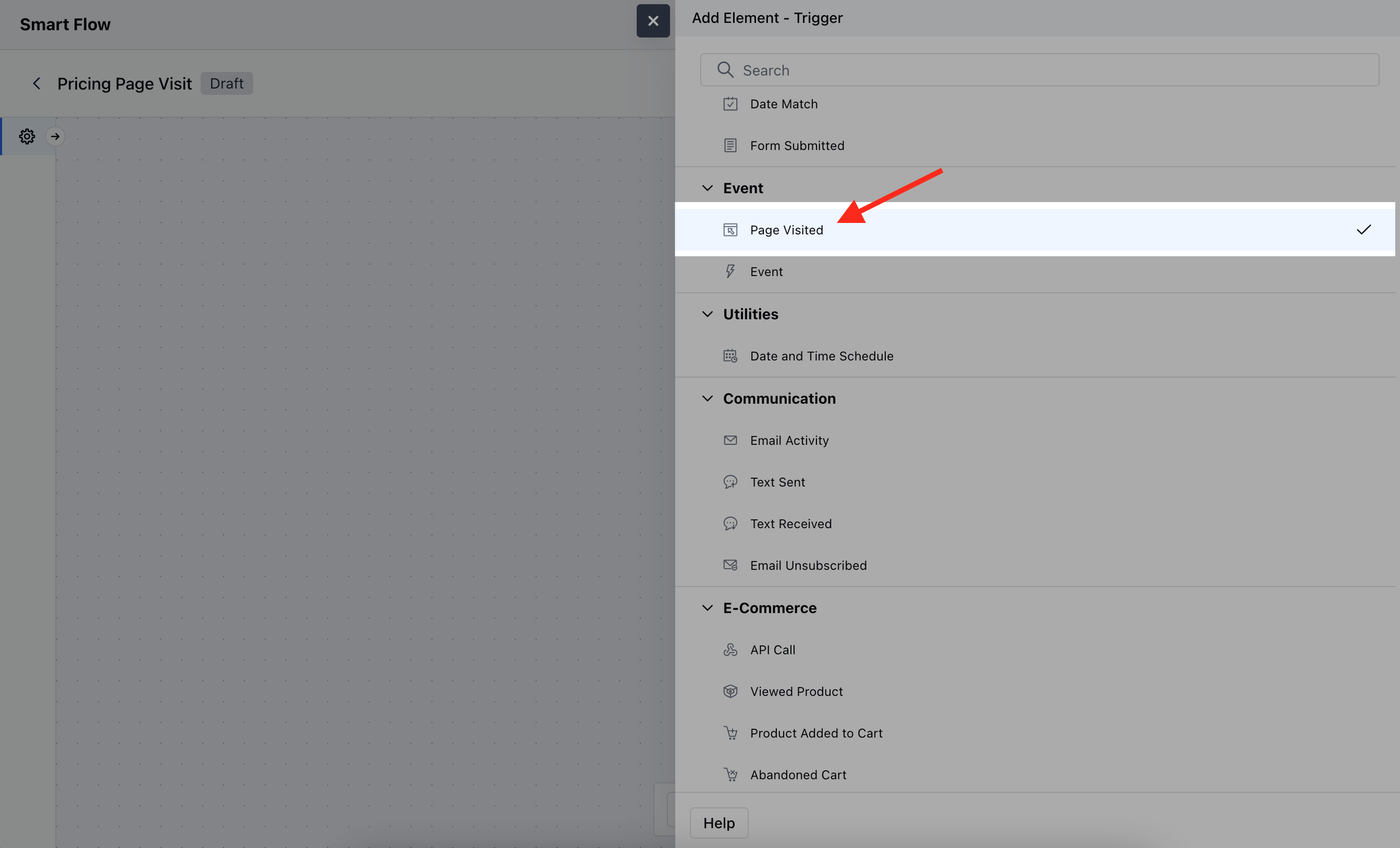
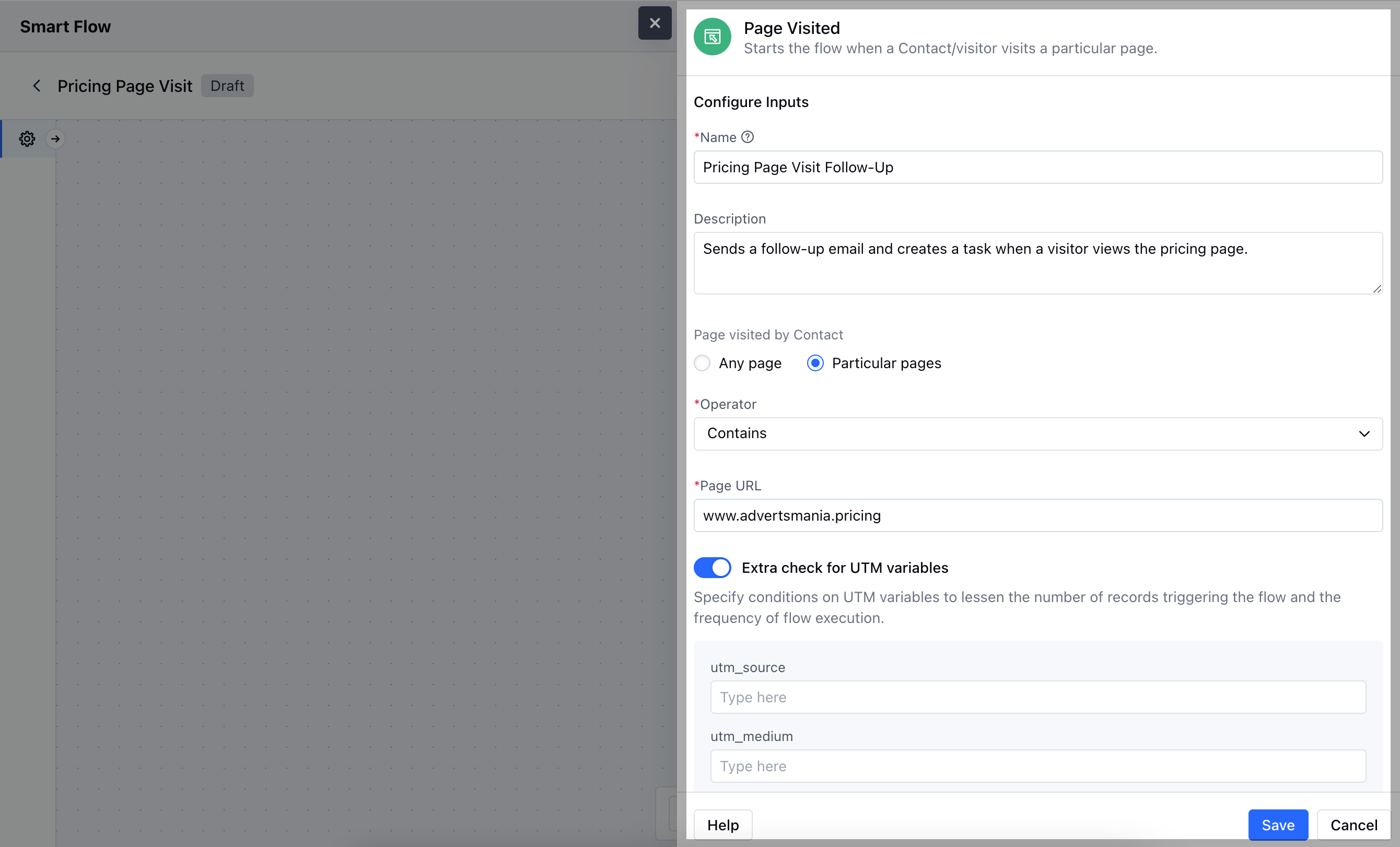
- Name: Provide a clear and descriptive name for the trigger to easily identify its purpose within the flow.
- Description: Write a brief explanation of what the trigger does and how it fits into the flow, helping to clarify its function.
- Page Visited by Contact: Specify the URL or webpage that will activate the trigger when visited by a contact.
- Extra Check for UTM Variables: Optionally, define specific UTM parameters (e.g., source, medium, campaign) that must be present in the URL for the trigger to activate.
Practical Example
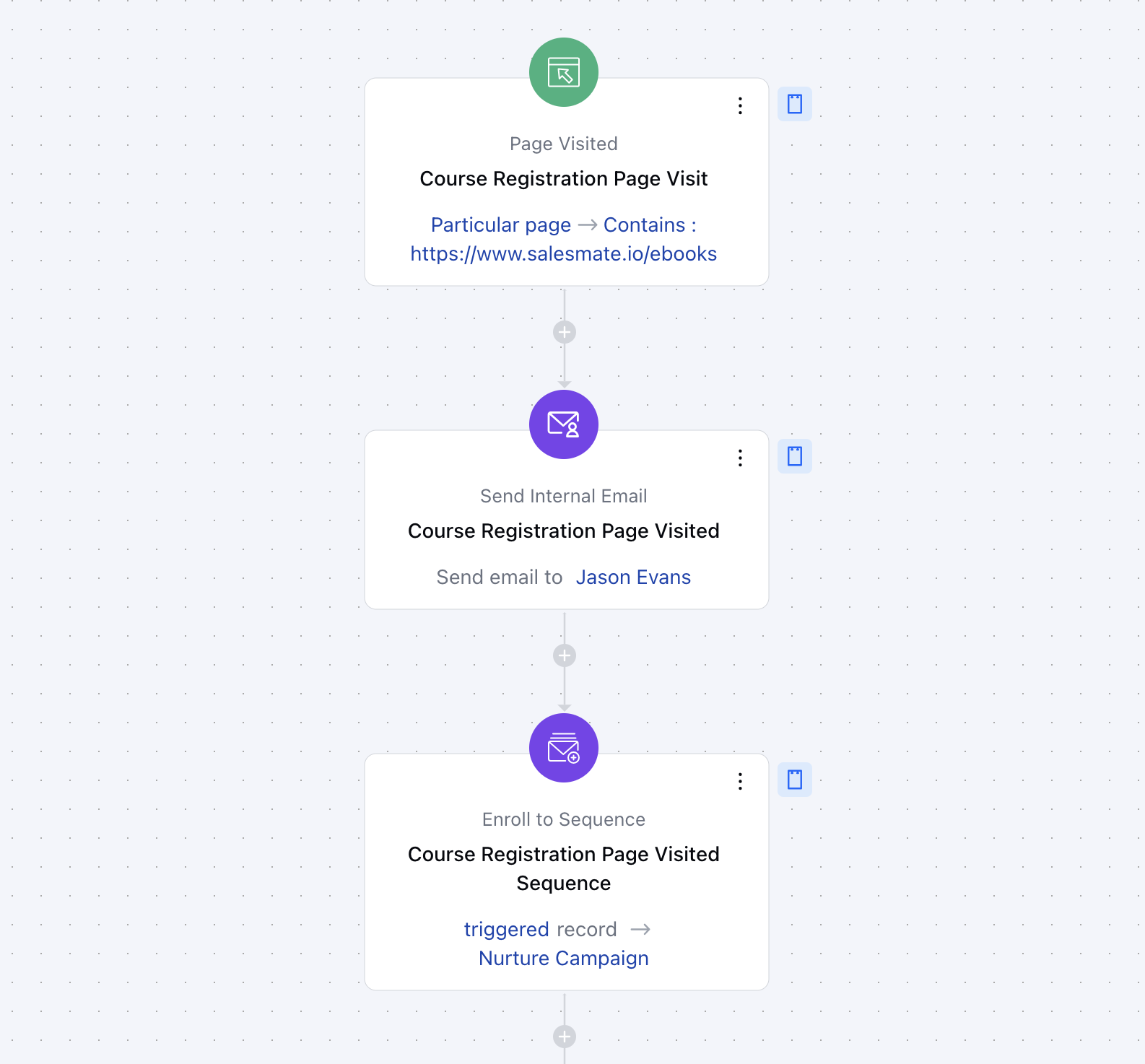
You run an online marketing course and want to send an internal email to the team about the contacts who visited your course registration page. This helps you gauge interest and nurture potential leads.