

- Topics covered: -
- How to Configure Order Placed Trigger
- Practical Example
How to Configure Order Placed Trigger
While creating a Trigger Based Flow select Order Placed trigger.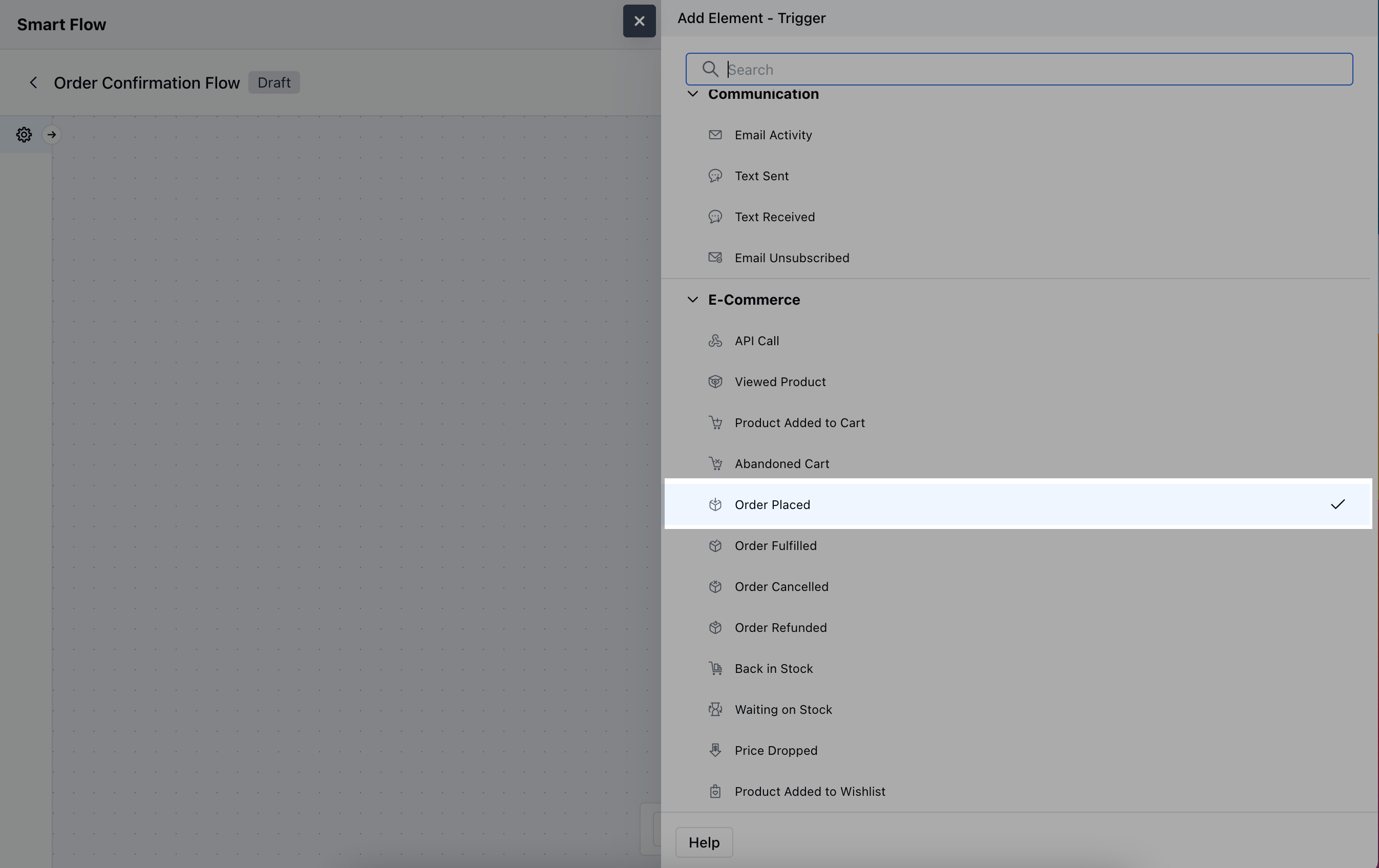
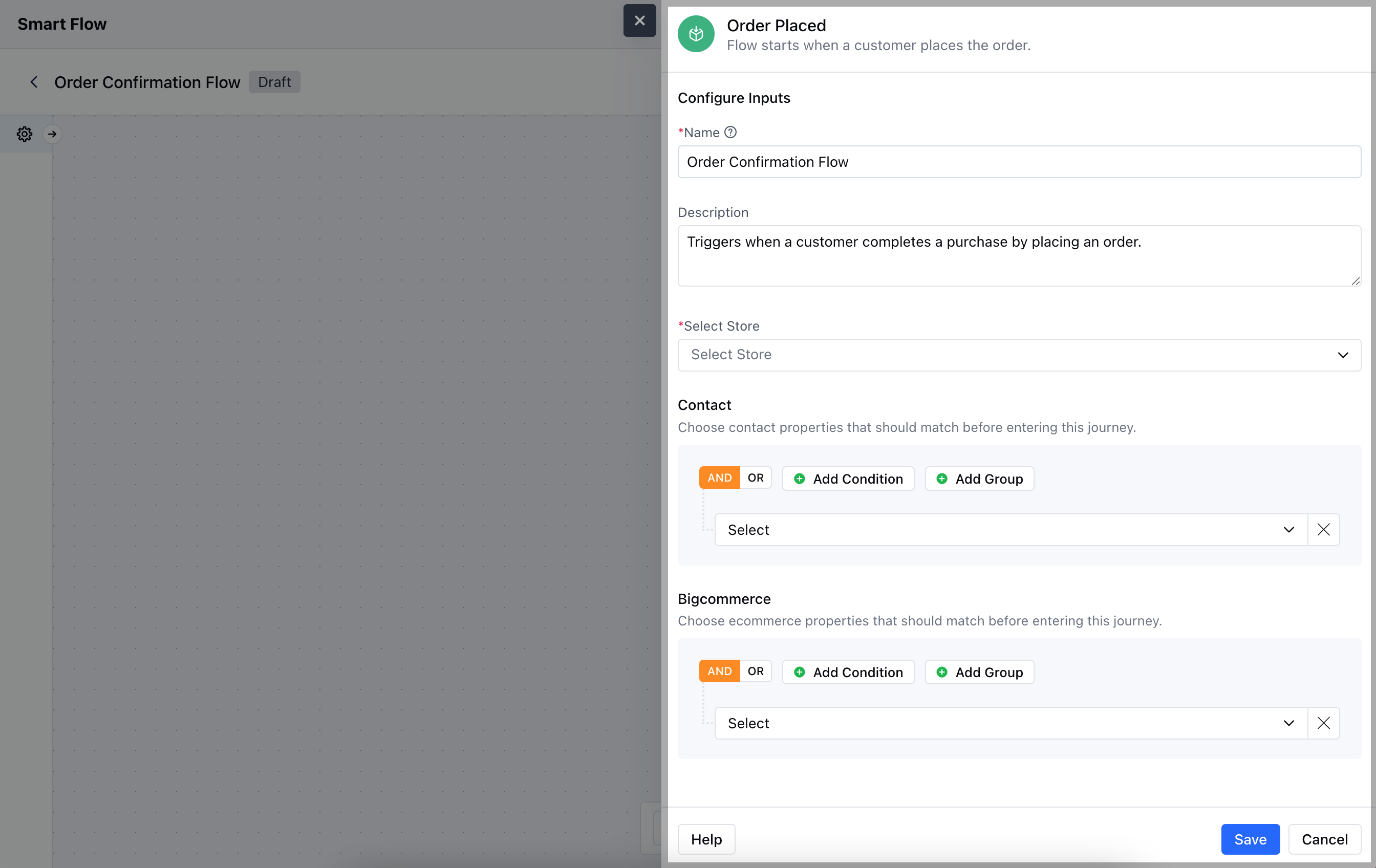
- Description: Explain the trigger’s purpose.
- Select Store: Choose the BigCommerce store where the Order Placed event is being tracked.
- Contact: Define any customer-related properties that should match before activating the flow.
- BigCommerce: Specify conditions related to the order that should trigger the flow.Hit the Save button to save the configuration and start making the flow.
Practical Example
Let’s create a Smart Flow to nurture the customer once they place an order by sending a Thank You Email, and later sending a Confirmation Email once the order gets confirmed. Further letting them track their order status at different stages whilst the delivery process.