Topics covered:
How to Configure Tag Removed Trigger
While creating the Trigger Based Flows select Tag Removed trigger.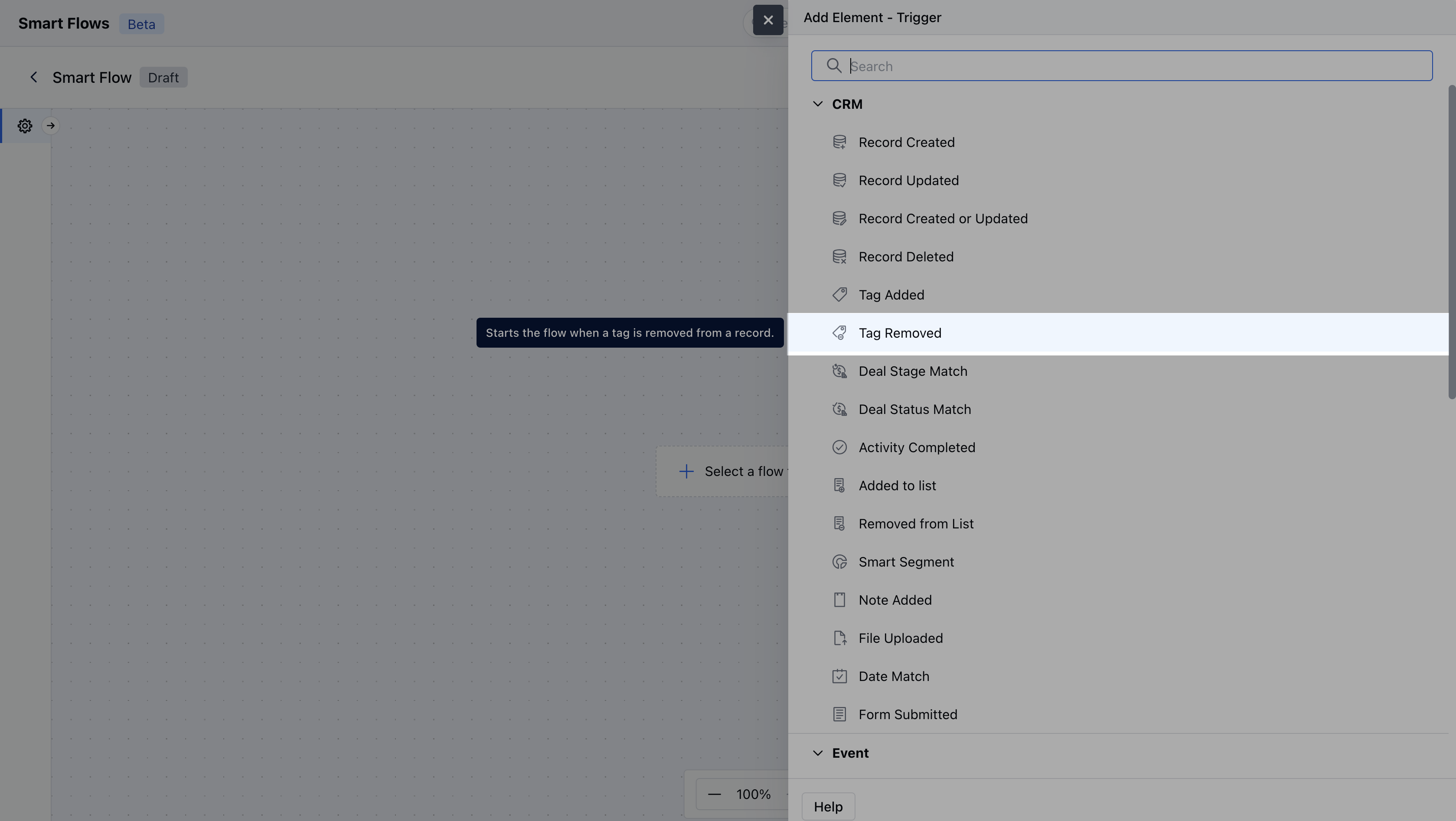
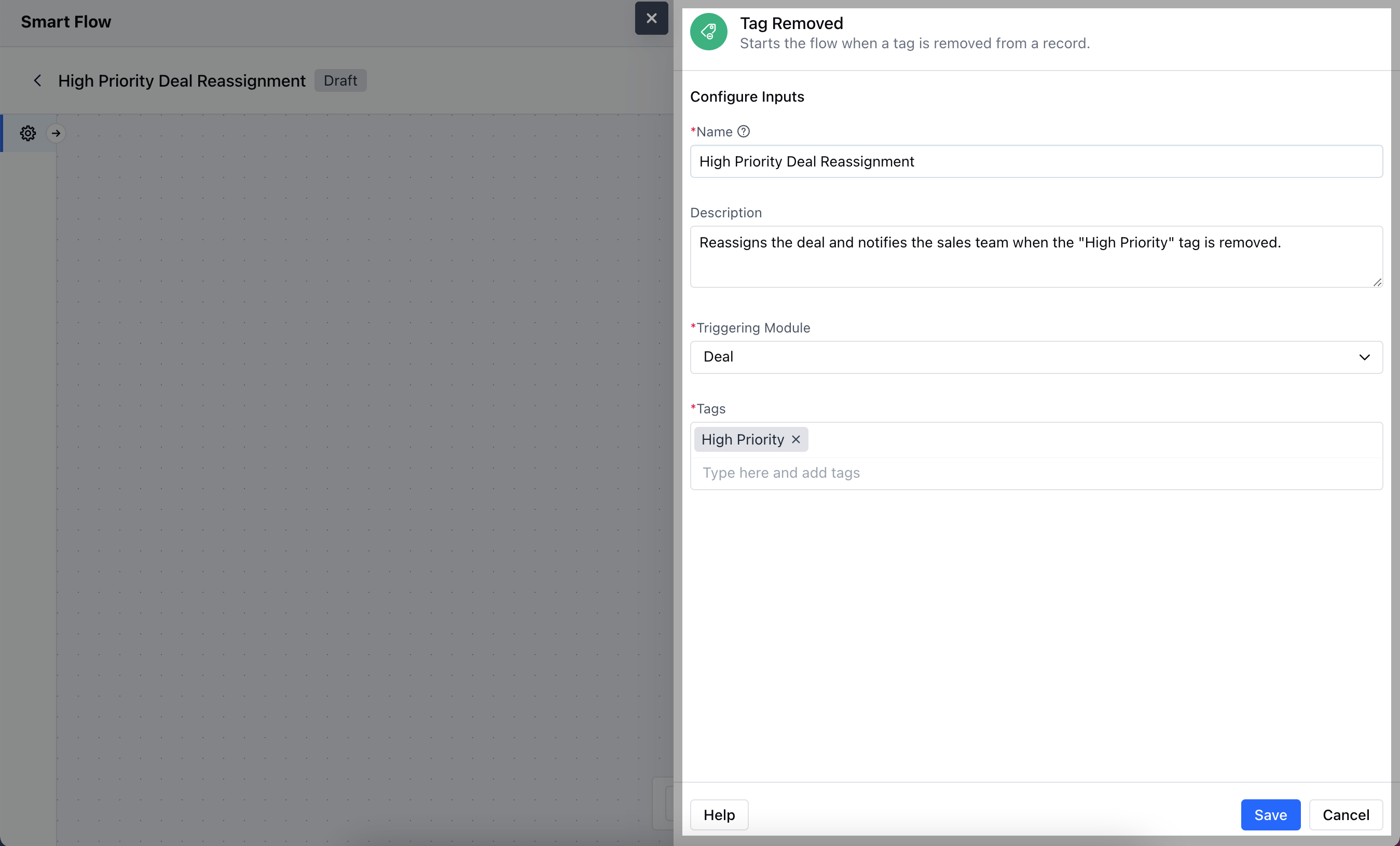
- Name: Provide a clear and descriptive name for the trigger to easily identify its purpose and function within your flow.
- Description: Enter a brief explanation of what the trigger does and its role in the flow.
- Module: Select the specific module where the trigger should be applied.
- Tags: Specify the tag that will activate the trigger when removed from a record, ensuring the flow is initiated based on this specific label.Once done click on Save.
Practical Example
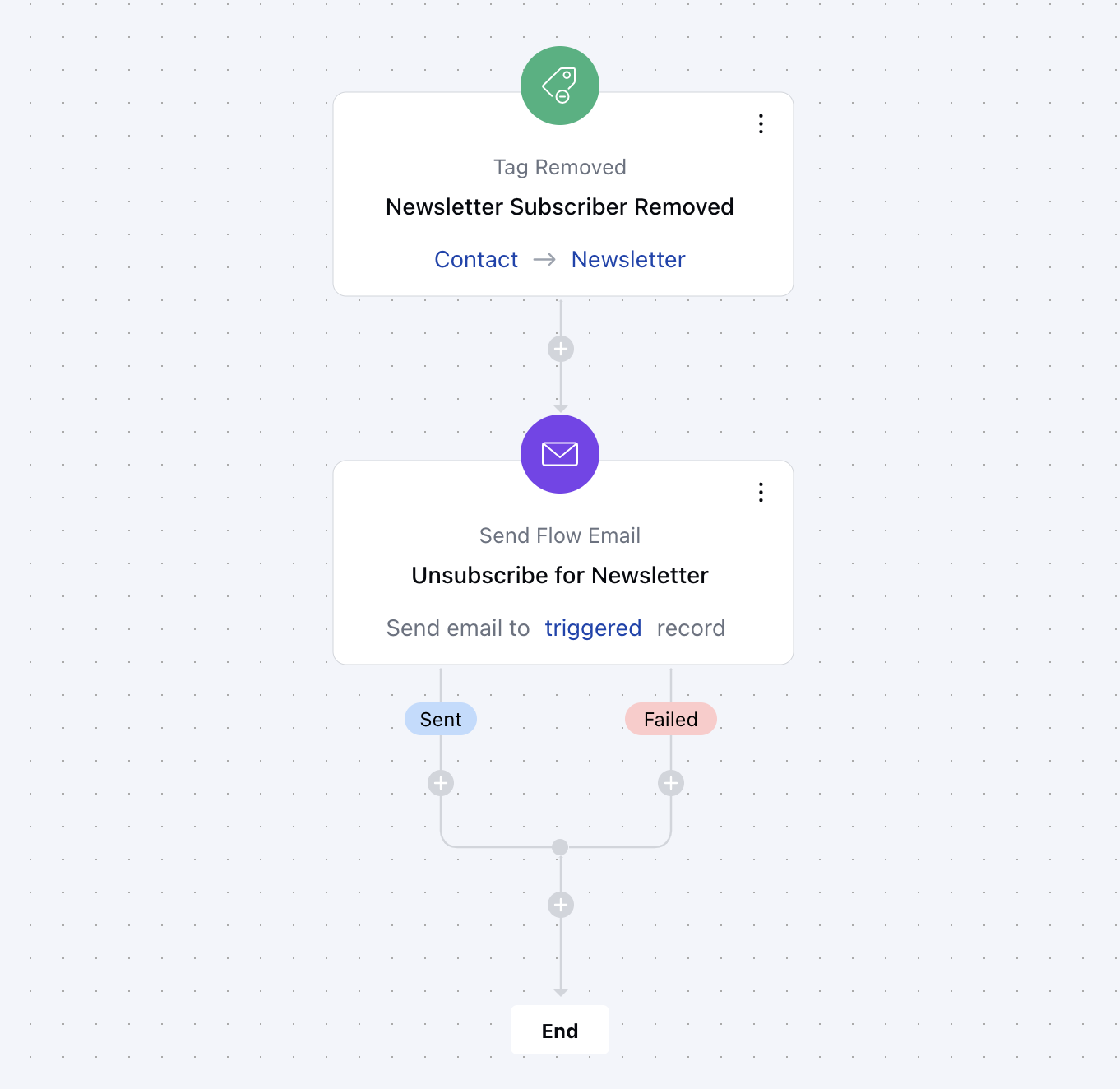
When the “NewsletterSubscriber” tag is removed from a contact, an automatic email is sent to let them know they’ve been unsubscribed. This keeps them informed and gives them a chance to re-subscribe if they want to continue receiving updates.