

- Topics covered: -
- How to Configure Price Dropped Trigger
- Practical Example
How to Configure Price Dropped Trigger
While creating the Trigger Based Flows select Price Dropped trigger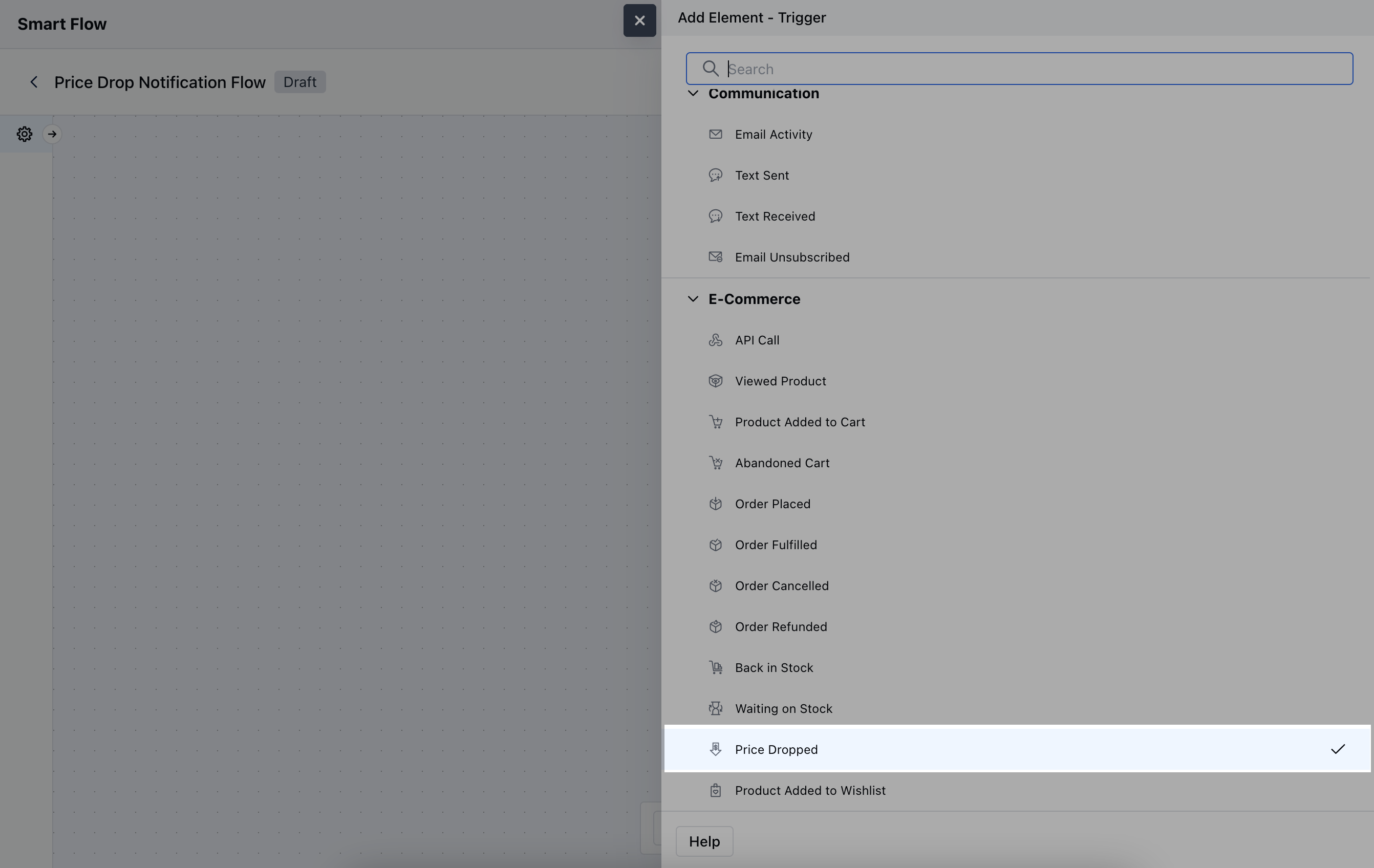
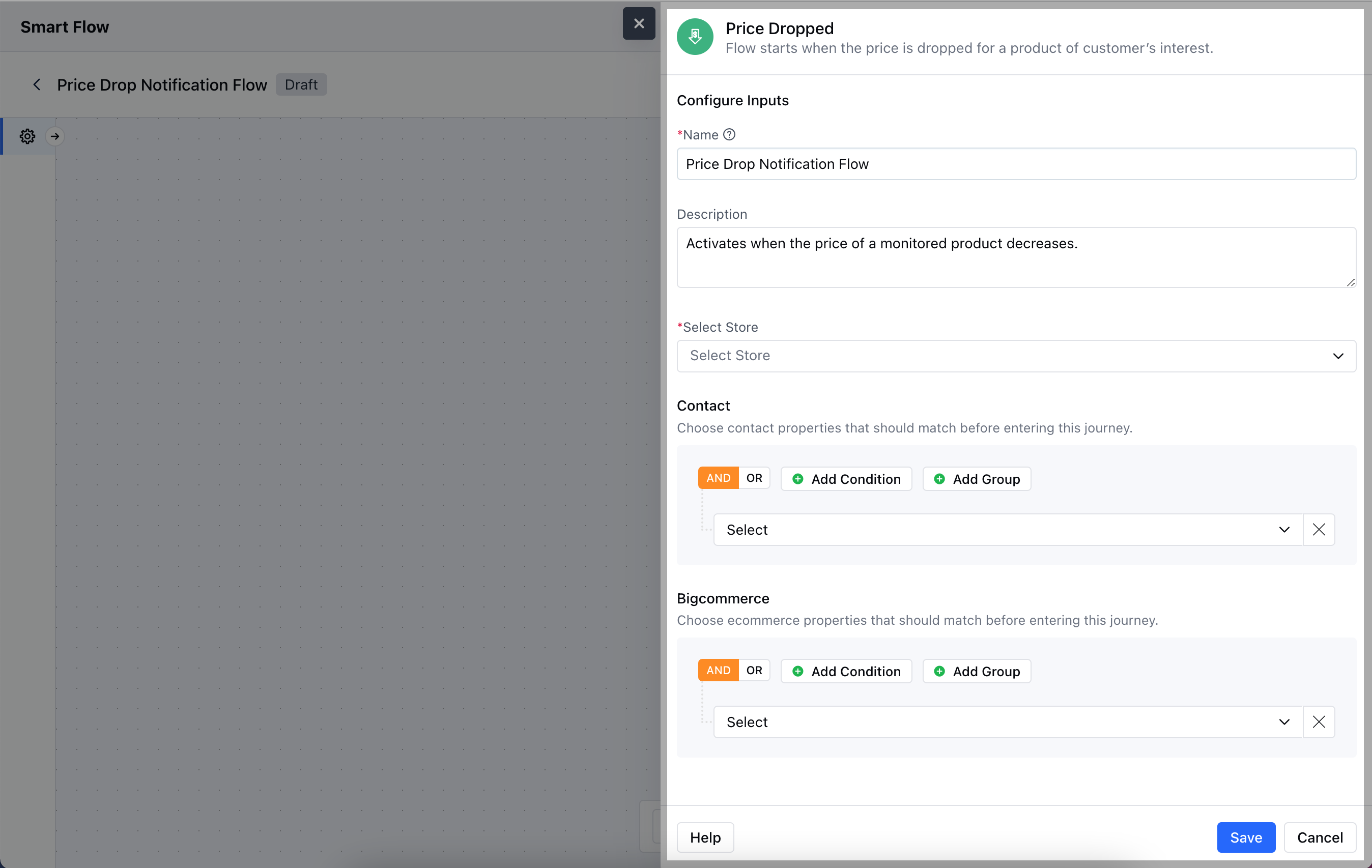
- Description: Write a brief explanation of the trigger’s function.
- Select Store: Choose the appropriate BigCommerce Store where the product is listed.
- Contact: Specify any conditions related to customer preferences or behaviours
- BigCommerce: Define specific product conditions to ensure the trigger activates correctly when prices drop.Once the configuration is completed, hit Save.
Practical Example
Let’s create a Smart Flow to nurture the contact/visitor by sending out an email sharing the discount on the product that was added to their cart but was not purchased yet. Further, we will wait for a couple of days and send out a reminder email.