- Topics covered: -
- How to Configure Order Cancelled Trigger
- Practical Example
How to Configure Order Cancelled Trigger
While creating the Trigger Based Flows select Order Cancelled trigger.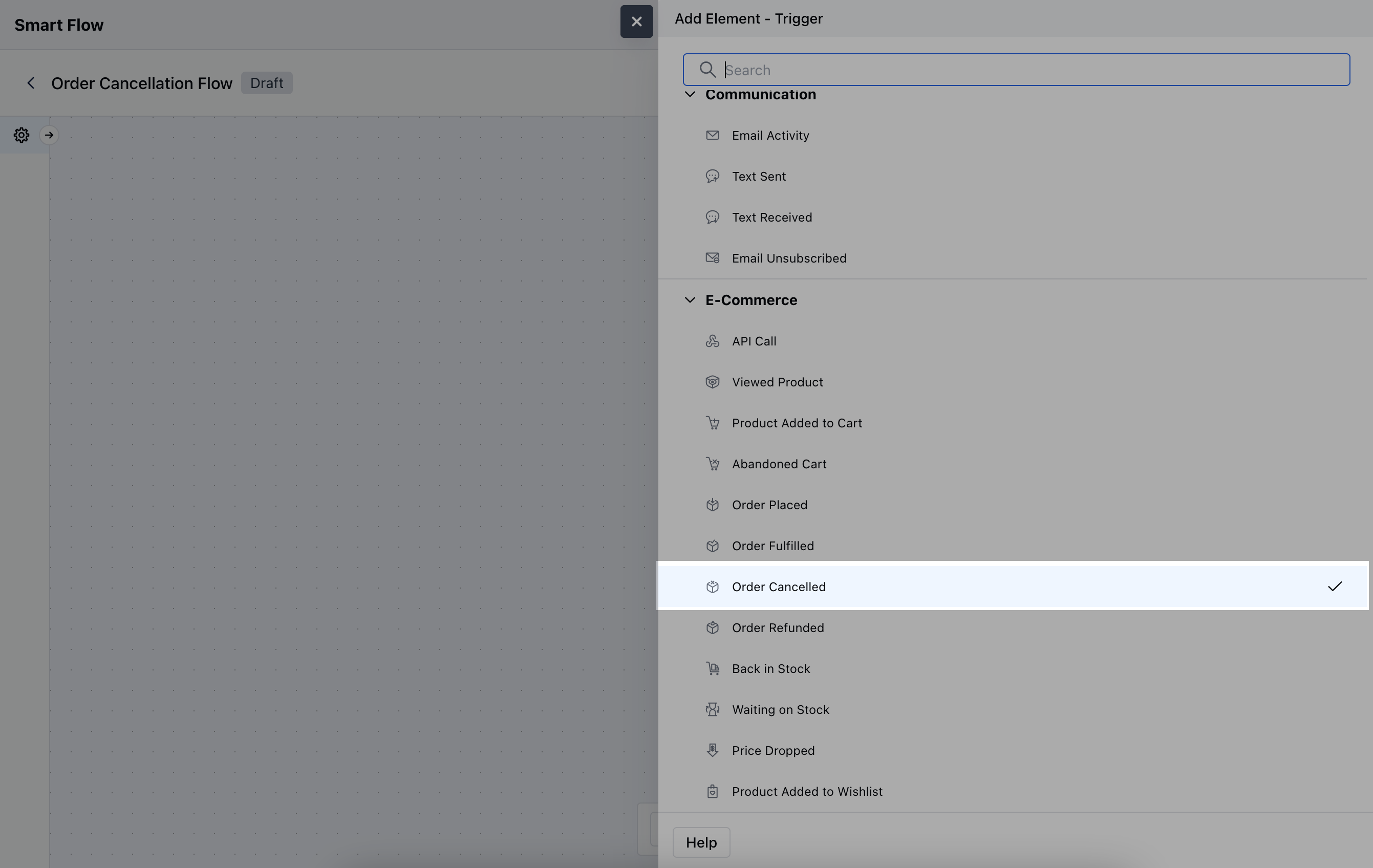
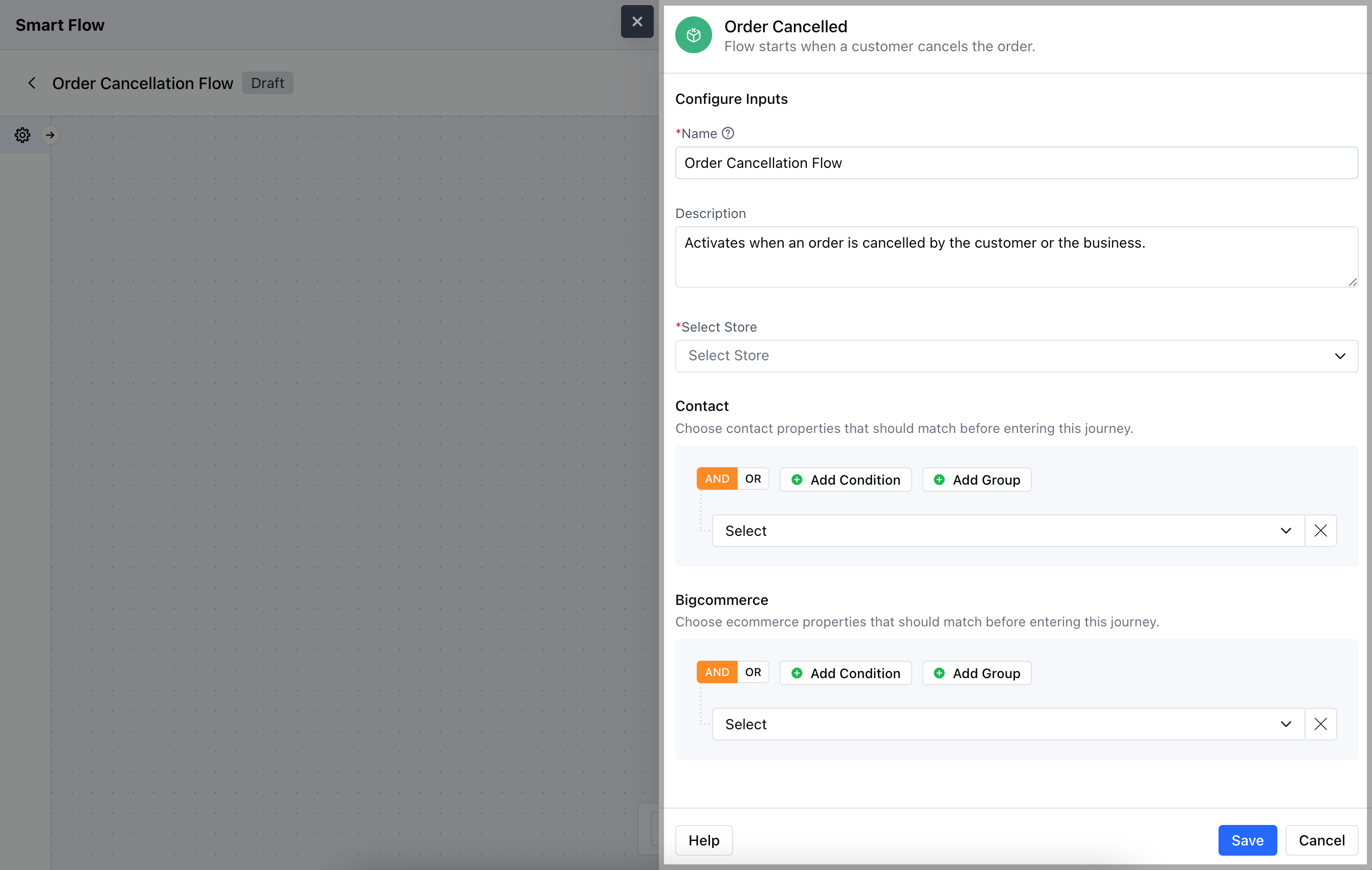
- Description: Briefly explain the trigger’s purpose.
- Select Store: Choose the BigCommerce Store or where the order is managed.
- Contact: Add specific contact conditions, such as the customer’s email or account status.
- BigCommerce: Set additional conditions for the order to ensure the trigger only activates for relevant ordersOnce the configuration is completed, hit Save.
Practical Example
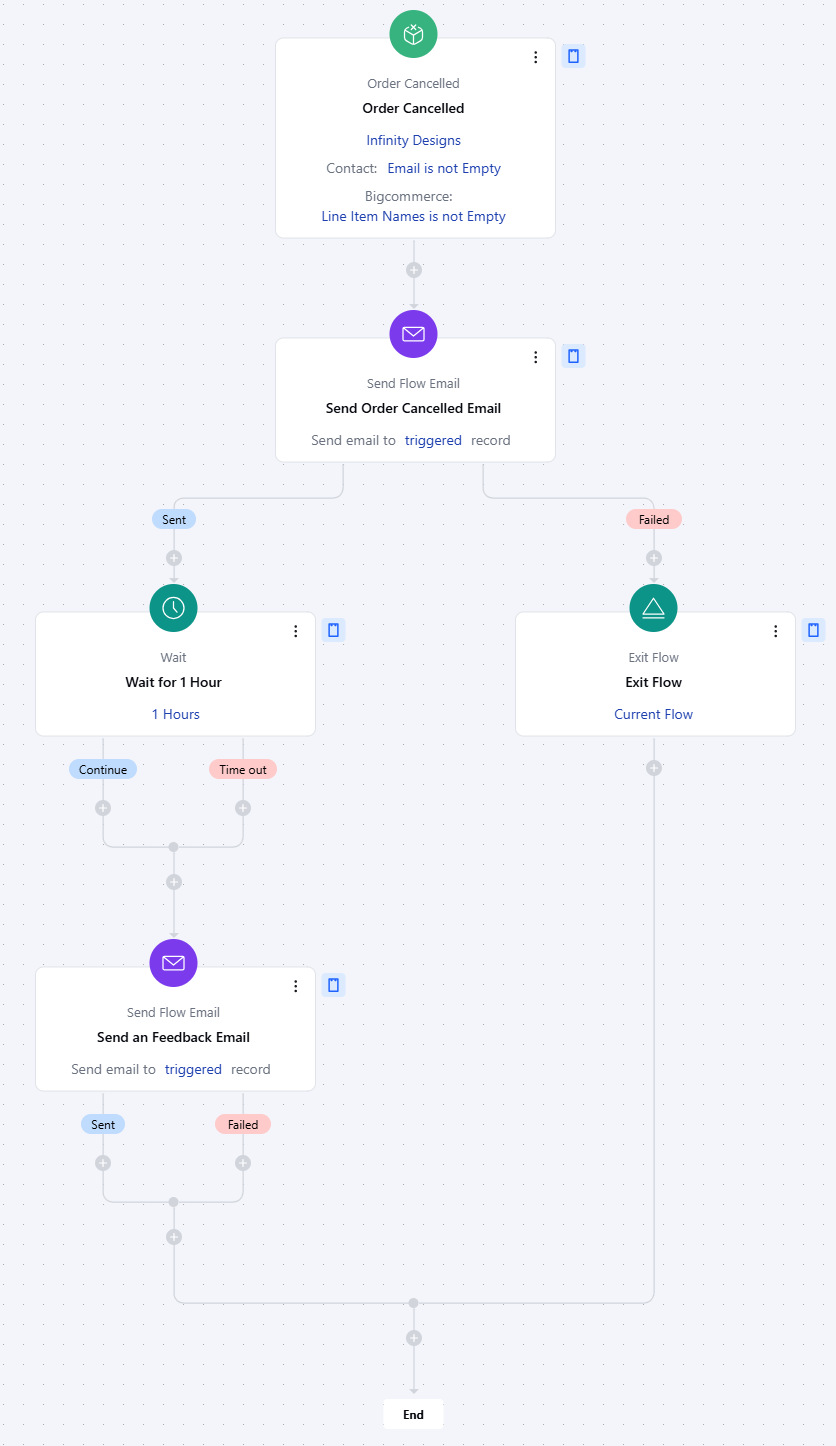
Let’s create a Smart Flow to send out a cancellation confirmation Email to the contact who has initiated an order cancellation and after that we will send them an email asking why they have cancelled the order.