- The Date Match trigger activates a flow when a specific date field in a record matches a defined date.
Topics covered:
How to Configure Date Match TriggerHow to Configure Date Match Trigger
While creating the Trigger Based Flows select Date Match trigger.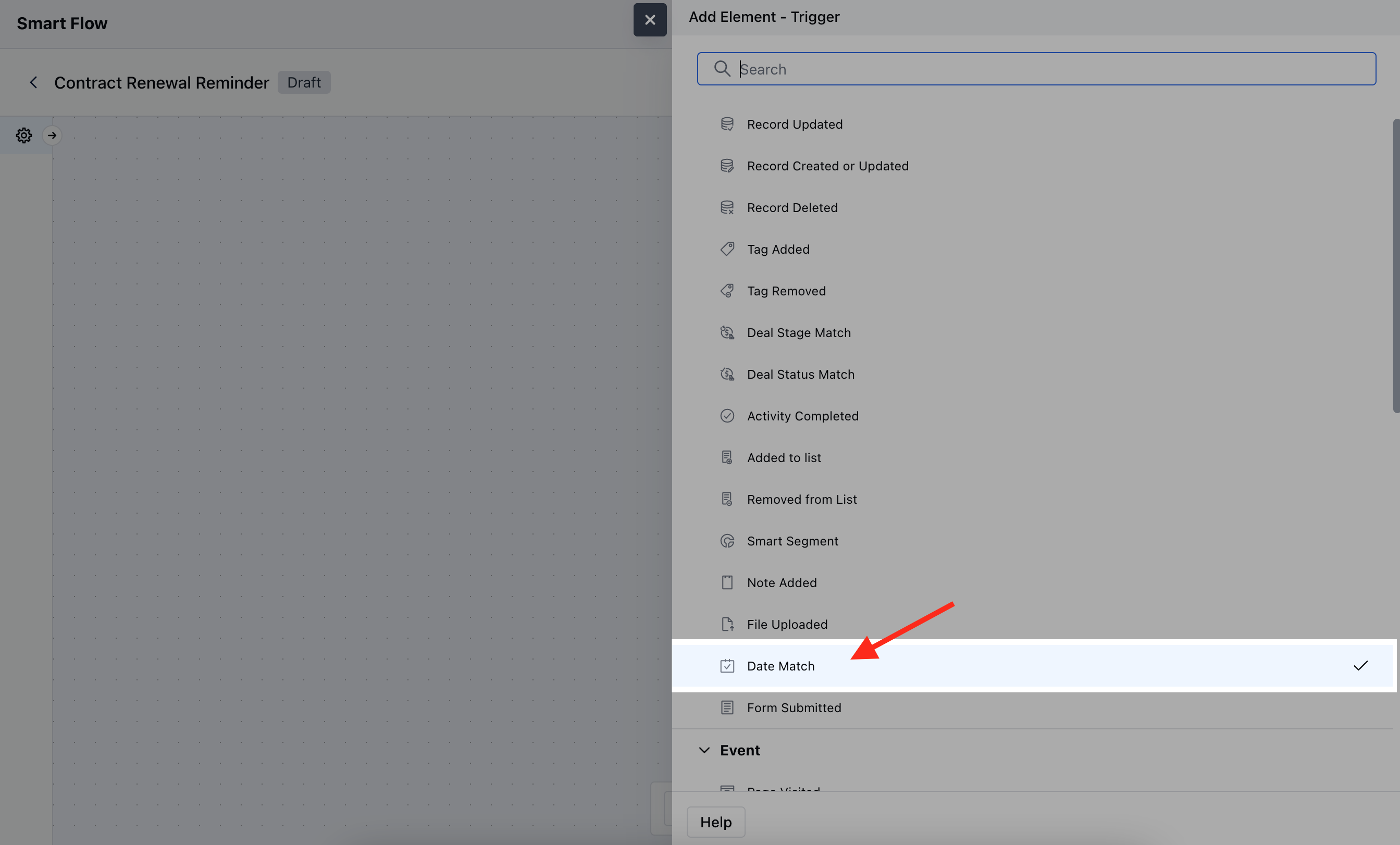
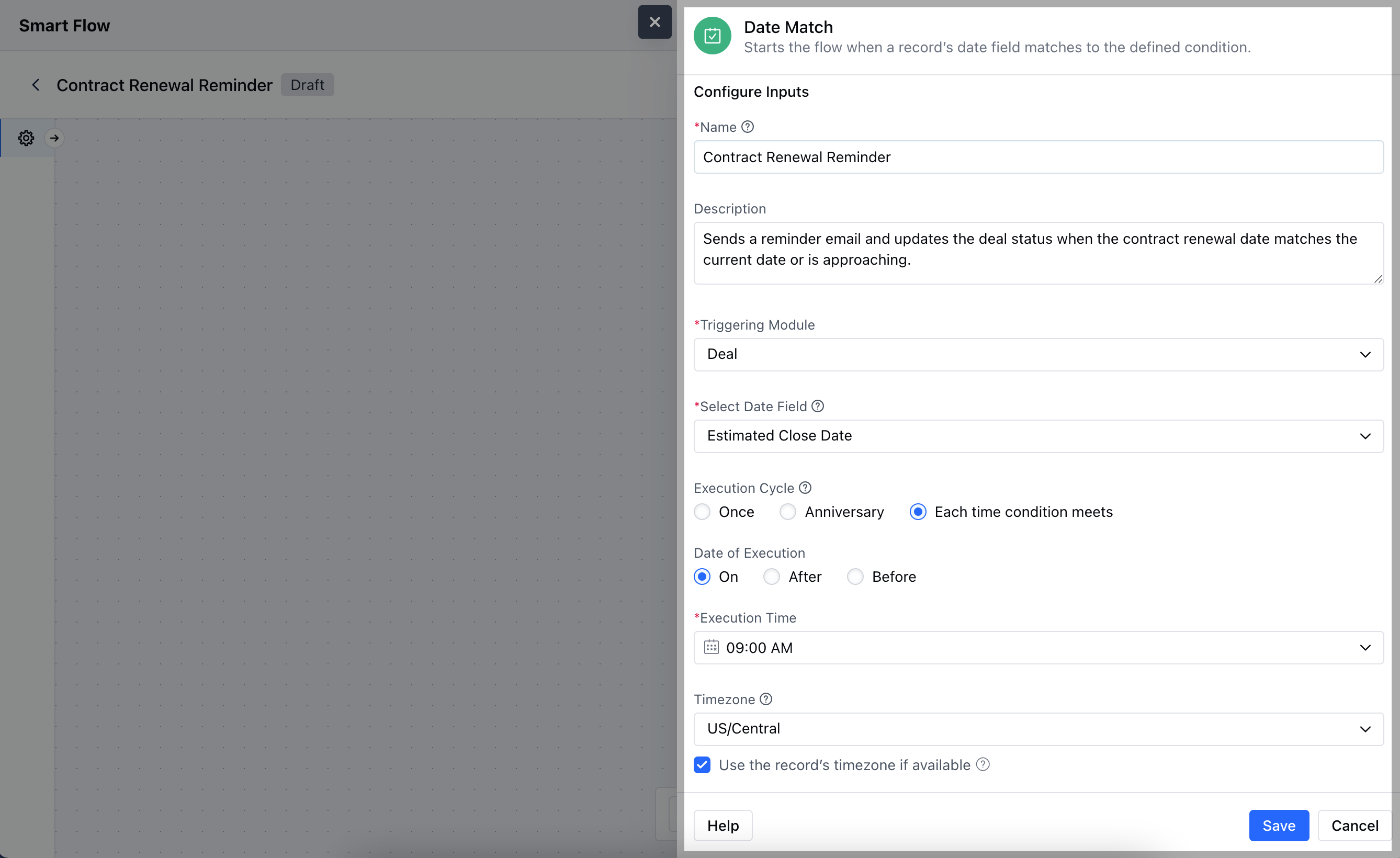
- Name: Provide a clear and descriptive name for the trigger to identify its purpose within the flow.
- Description: Write a brief explanation of what the trigger does and its role in the flow, helping to clarify its function and impact.
- Triggering Module: Choose the specific module where the date field is located and where the trigger will be applied.
- Select Date Field: Specify the date field in the record that the trigger will monitor for a match.
- Execution Cycle: Define how often the trigger should check for the date match.
- Date of Execution: Set the specific date or date range that the trigger will use to match against the selected date field.
- Execution Time: Specify the time of day when the trigger should execute its actions.
- Time Zone: Select the time zone in which the date and time should be interpreted to ensure accurate timing.
- **Use Contact’s Timezone:**Choose whether to use the contact’s time zone for the trigger, if applicable, to align with their local time.Click Save to save the information.
Practical Example
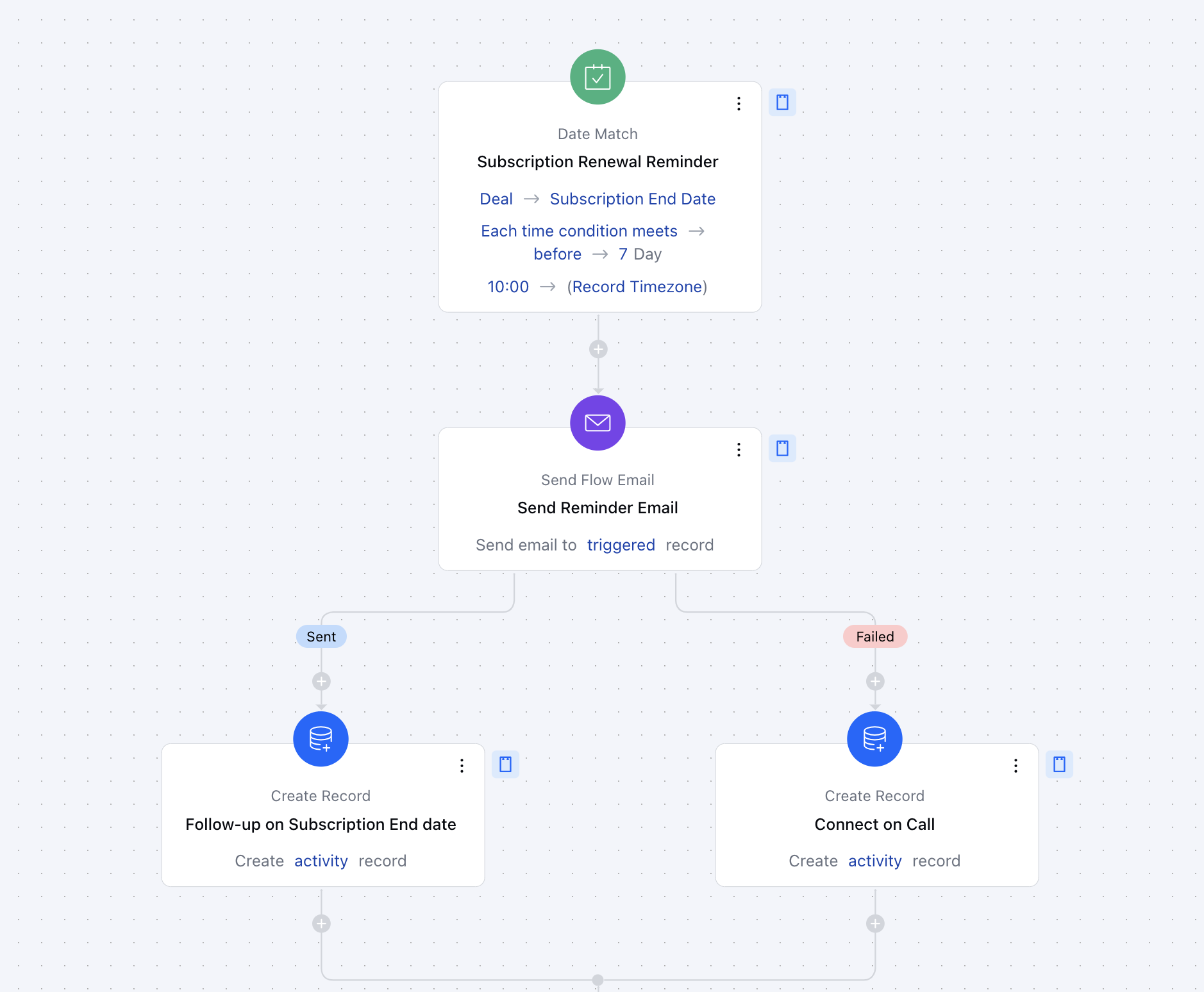
Here, we are managing a subscription-based service, and we want to send a renewal reminder email to customers a week before their subscription expires.