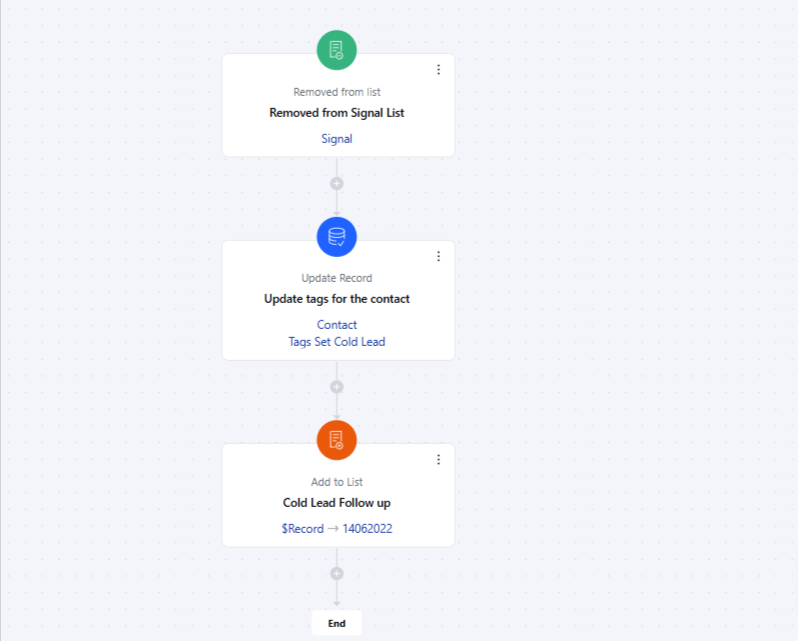
- Removed from List* trigger activates the flow when a record is removed from a specified list, allowing automated actions to occur based on the record’s removal from that list.Topics Covered:
- How to Configure the Removed From List Trigger
- Practical Example
How to Configure the Removed From List Trigger
While creating the Trigger Based Flows select Removed from List trigger.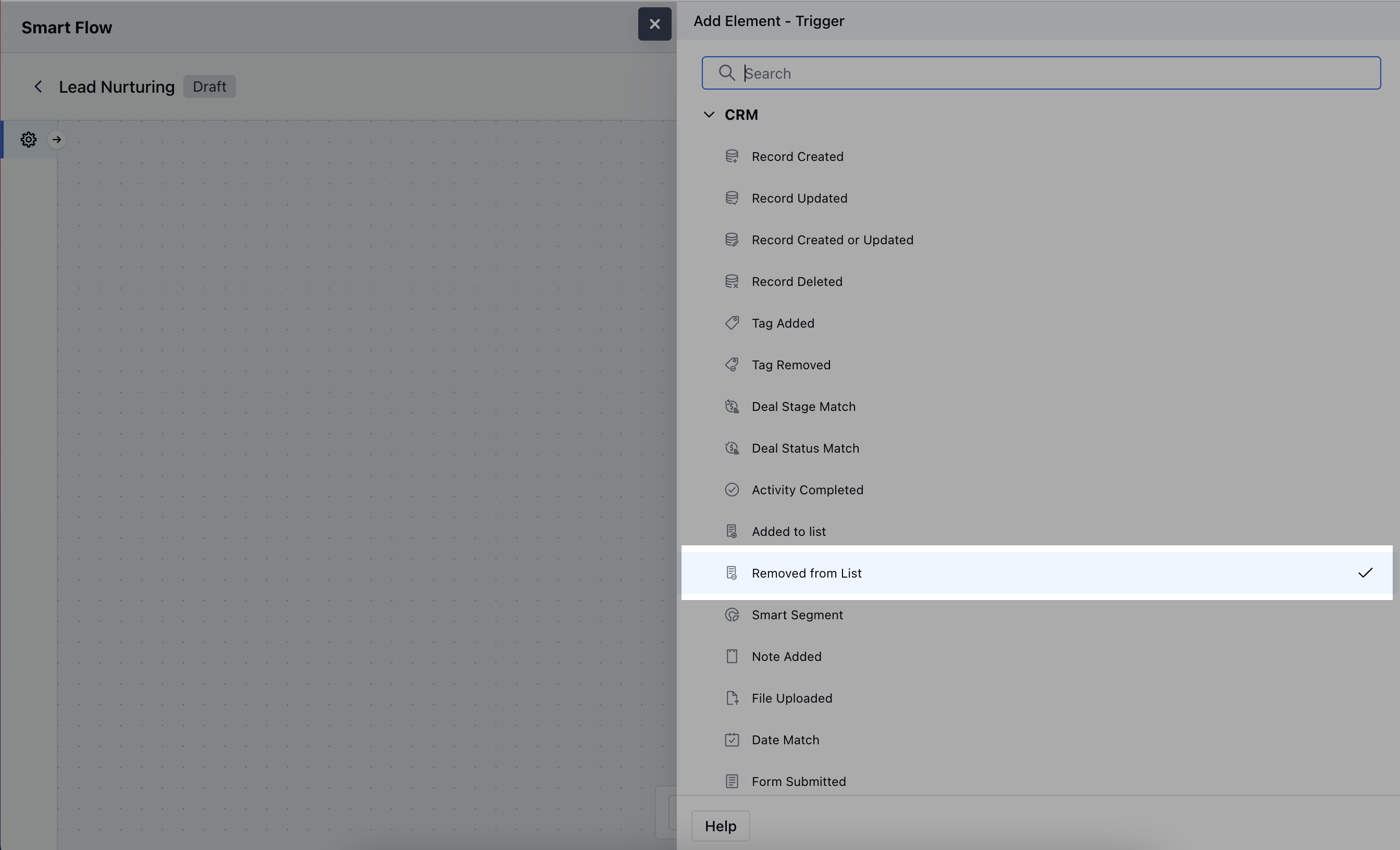
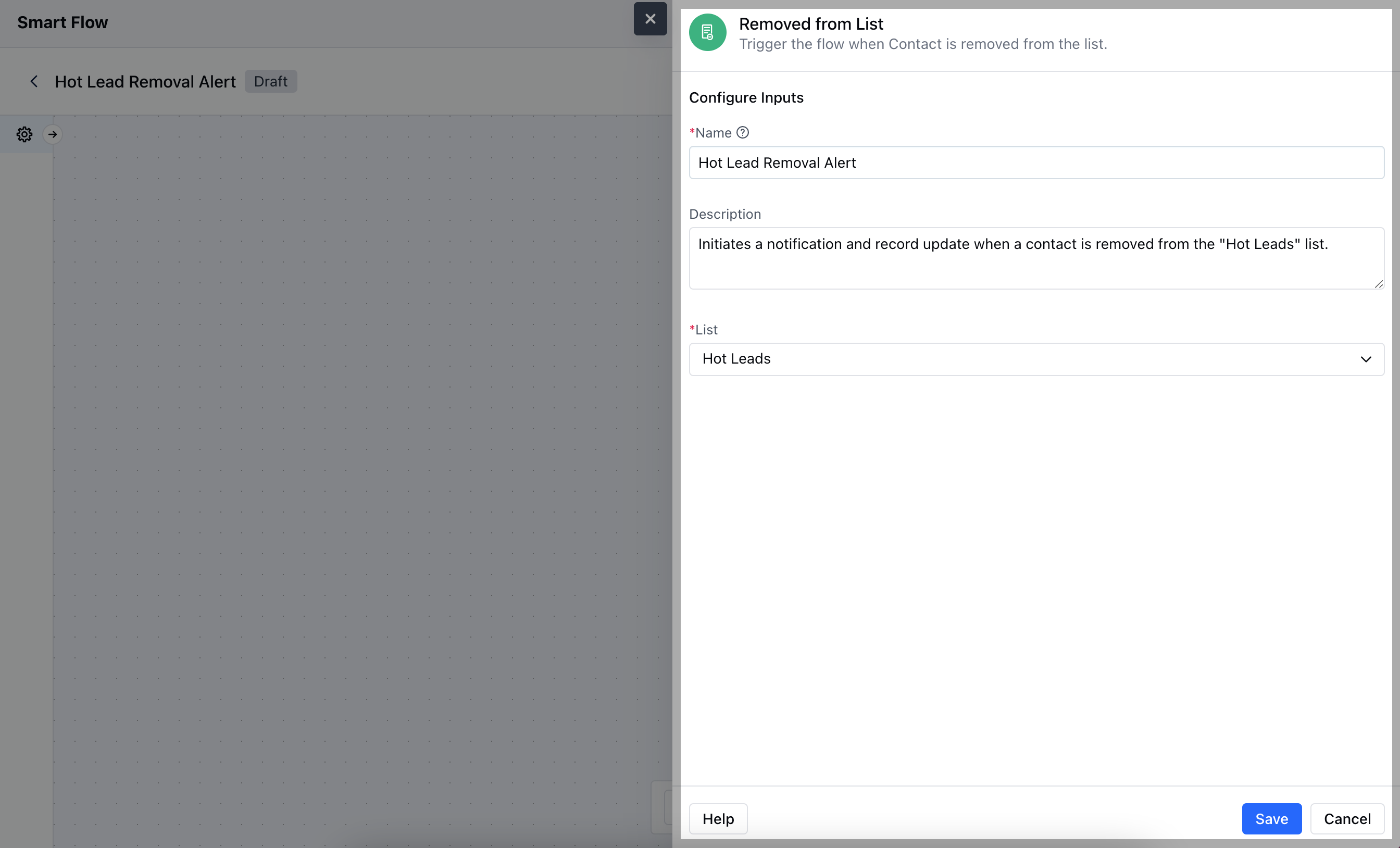
- Name: Enter a clear and descriptive name for the trigger to easily identify its purpose within the flow.
- Description: Provide a brief explanation of what the trigger does and its role in the flow, helping to clarify its function and impact.
- List: Select the specific list from which the record removal will trigger the flow.Hit on Save to save the information
Practical Example
The “Removed from List” trigger is valuable for responding to changes in a contact’s preferences. For example, contacts can be automatically or manually removed from a list if they opt out of an email campaign or cancel their subscription. By setting up a Smart Flow that triggers when a contact is removed from a list, you can automatically tag the contact for follow-up, assign them to another list, or plan future outreach to re-engage them.