- Topics covered:
- How to Configure Smart Segment Trigger
- Practical Example
How to Configure Smart Segment Trigger
While creating the Trigger Based Flows select Smart Segment trigger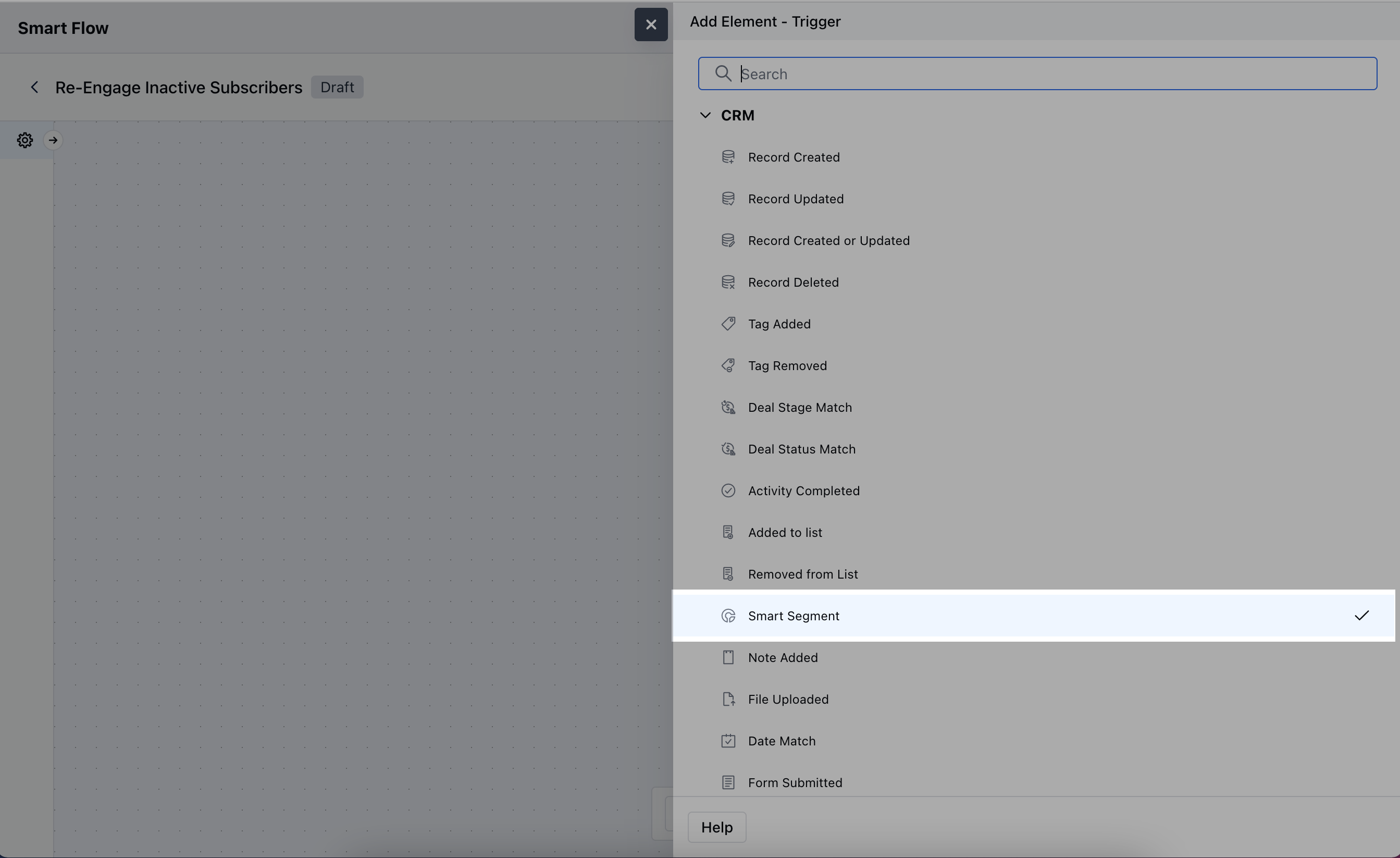
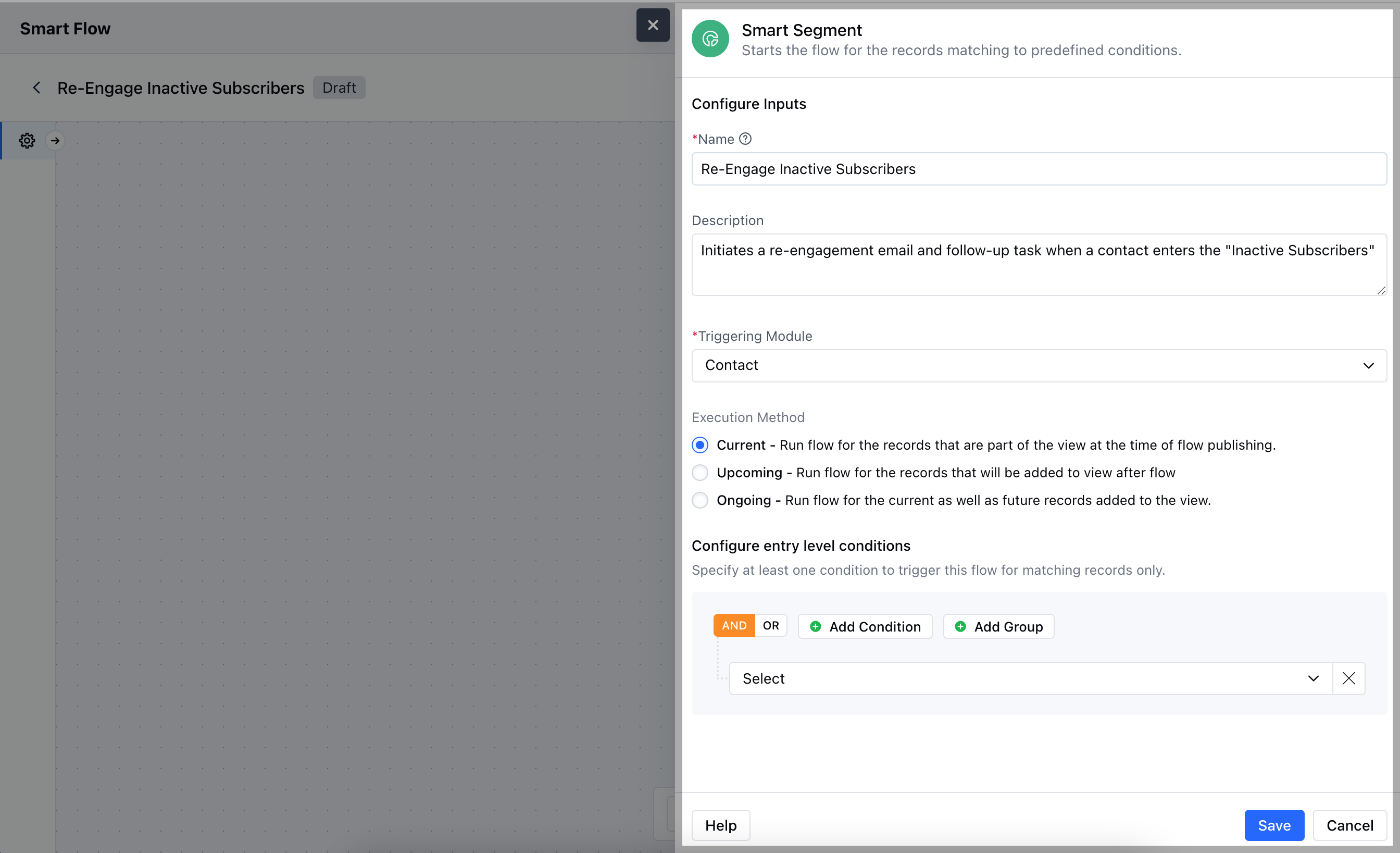
- Name: Give the trigger a name that clearly describes what it does.
- Description: Write a short explanation of what the trigger will do and how it fits into the flow.
- Triggering Module: Choose the module that will activate the trigger, specifying where the records will come from.
- Execution Method- Current: Run flow for the records that are part of the view at the time of flow publishing.
- Upcoming: Run flow for the records that will be added to view after flow
- Ongoing: Run flow for the current as well as future records added to the view.
- Configure entry level conditions: Define the conditions that must be met for the trigger to activate.Once added, hit on Save.