

- Topics covered: -
- How to Configure Viewed Product Trigger
- Practical Example
How to Configure Viewed Product Trigger
While creating the Trigger Based Flows select Viewed Product trigger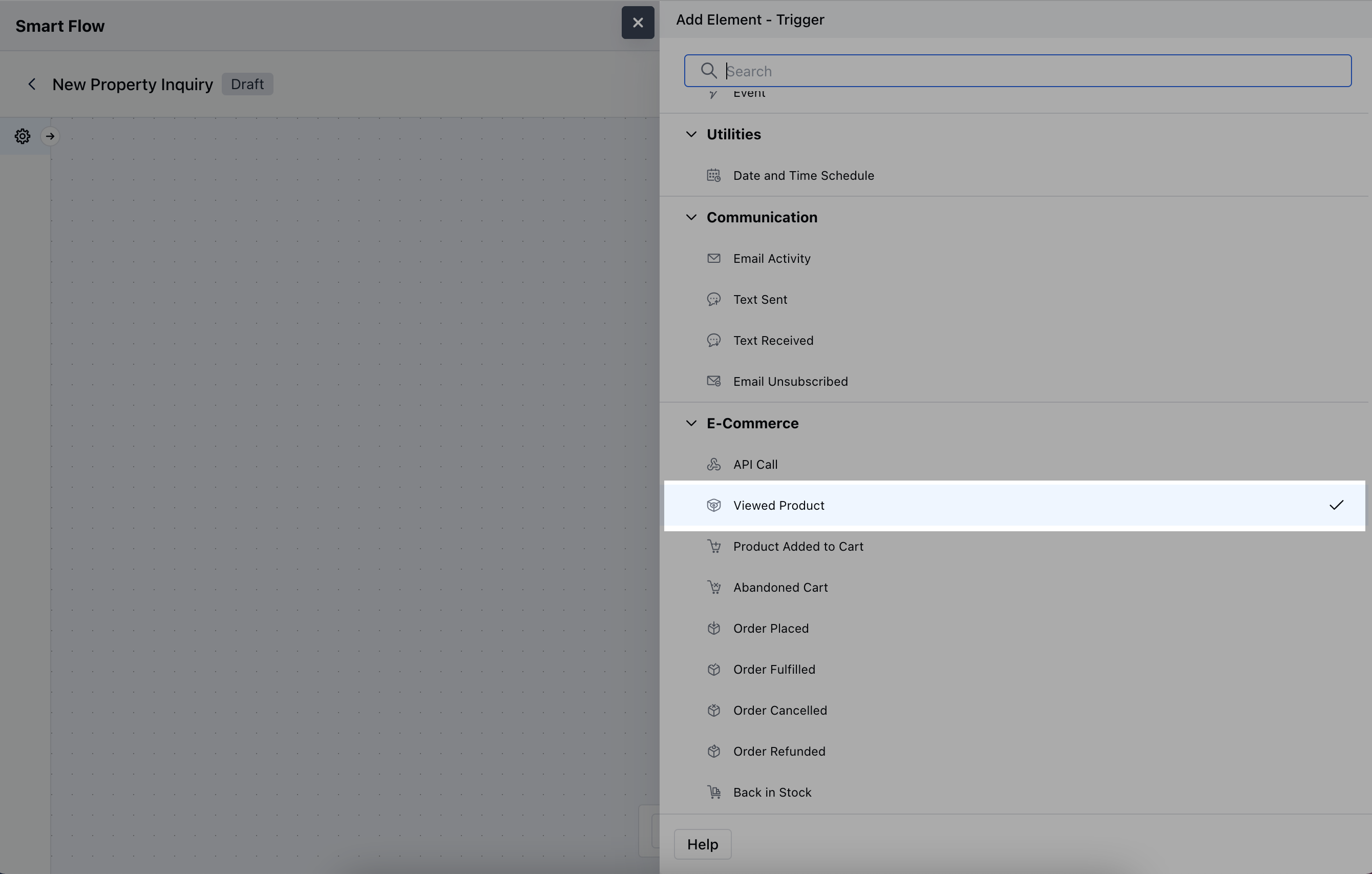
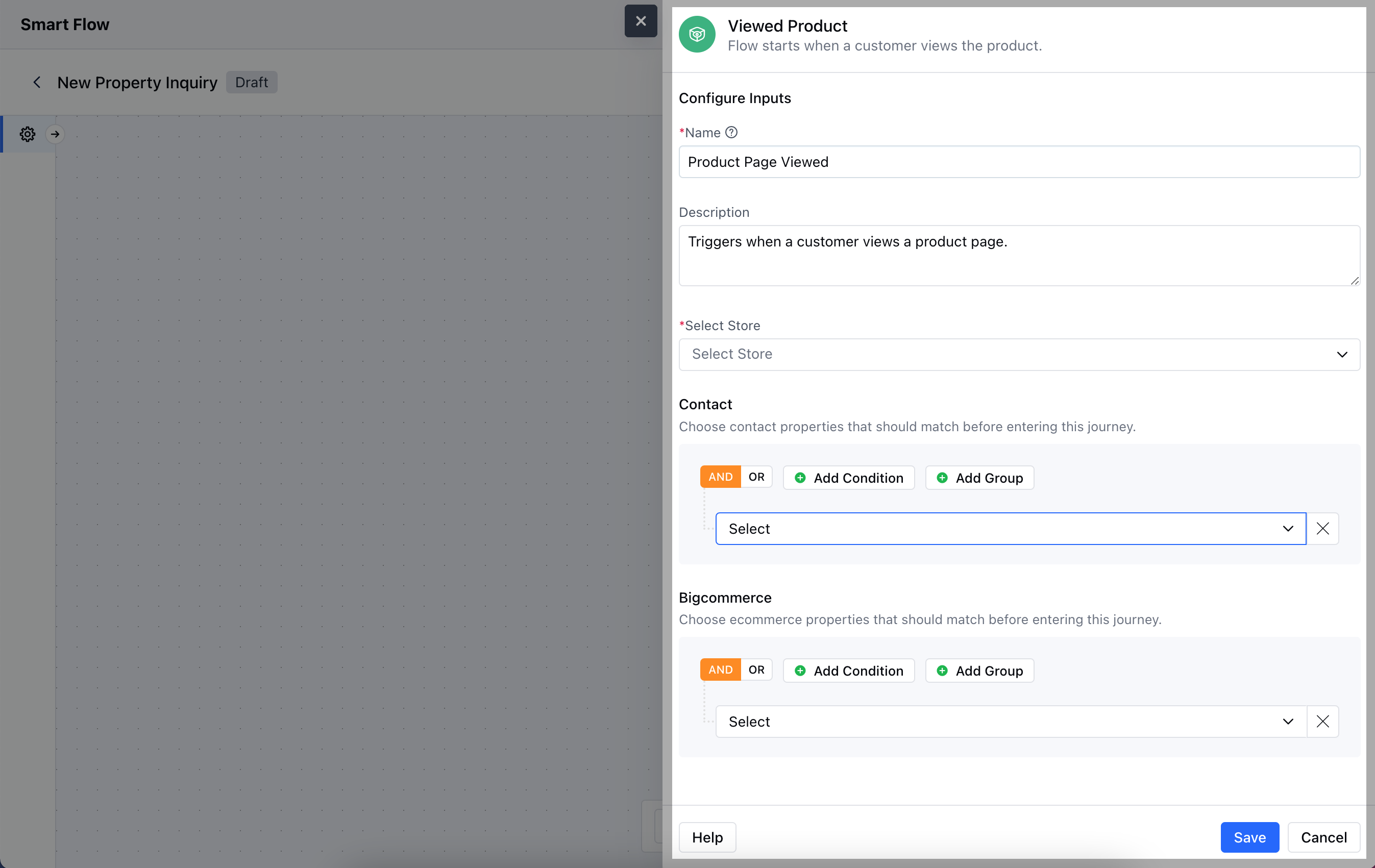
- Name: Assign a clear and descriptive name to identify the trigger.
- Description: Provide a brief explanation of what the trigger does.
- Select Store: Choose the BigCommerce store where the cart activity occurs.
- Contact: Specify any contact properties that need to match before a contact enters this flow.
- BigCommerce: Set conditions based on product-related properties that must be met before the trigger is activated.Once the configuration is completed, hit Save.
Practical Example
Let’s create a Smart Flow to nurture a visitor/customer by sending out an email when the Trigger condition matches as in when they view a particular product, add a delay for about two days, and send out a reminder email again.