

- Topics covered: -
- How to Configure Waiting on Stock Trigger
- Practical Example
How to Configure Waiting on Stock Trigger
While creating the Trigger Based Flows select Waiting on Stock trigger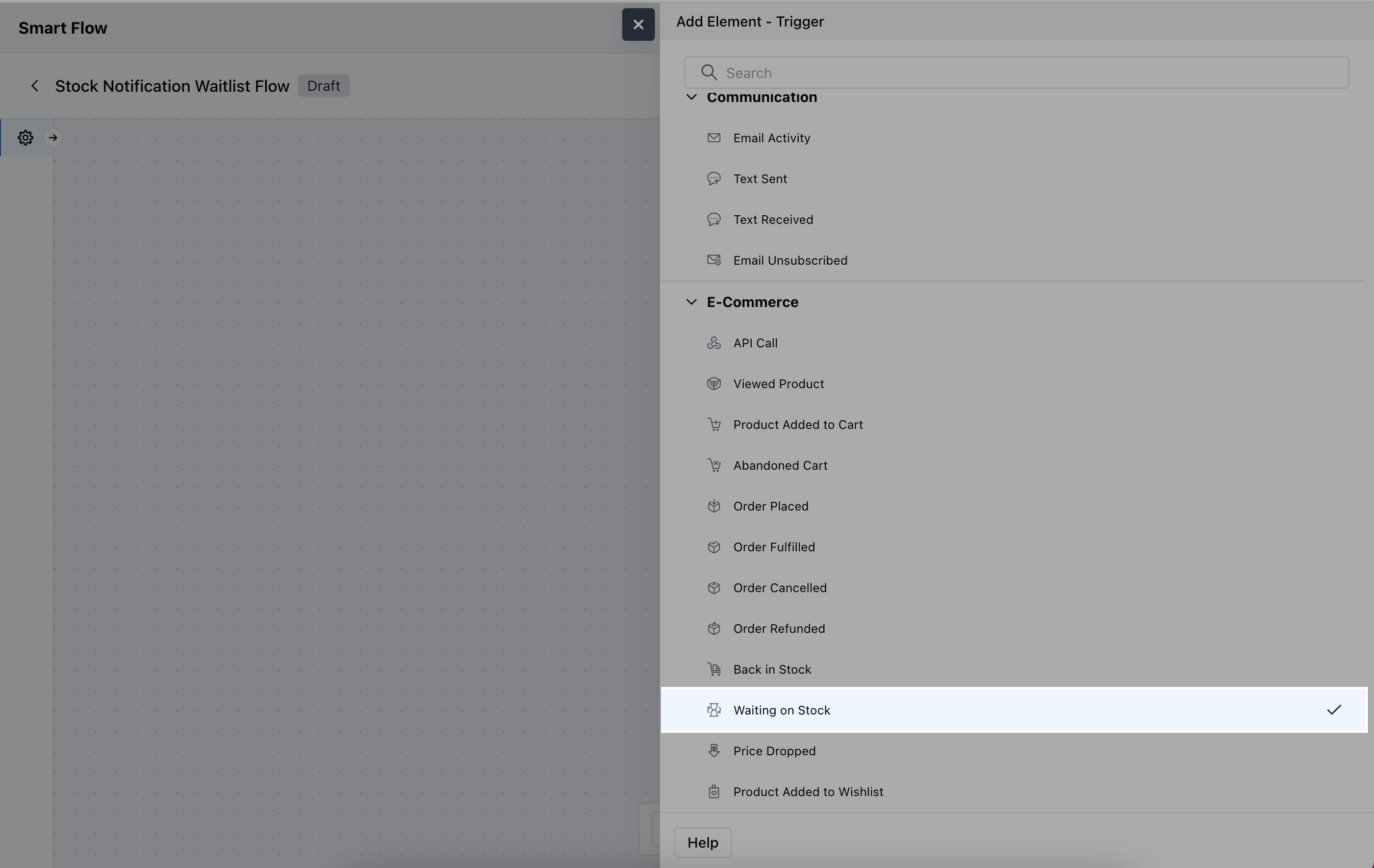
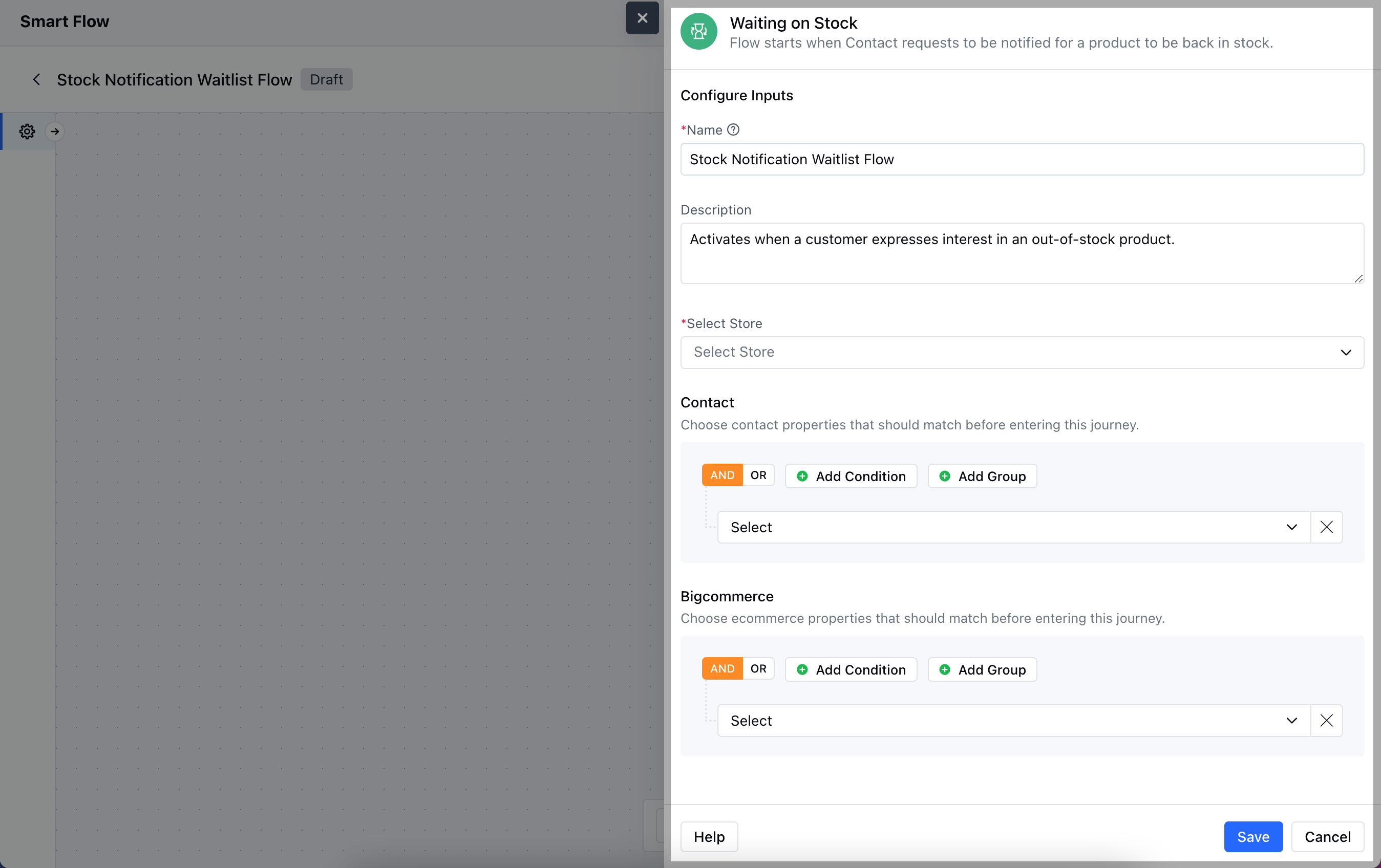
- Description: Write a brief summary that explains what the trigger does.
- Select Store: Choose the relevant BigCommerce Store that manages the product inventory.
- Contact: Indicate any specific criteria related to customer details or preferences.
- BigCommerce: Specify particular conditions related to the product.Once the configuration is completed, hit Save.
Practical Example
Let’s create a Smart Flow to send out a notification email to the set of contacts that have requested to be notified when a particular product is back in stock.